Corsair Vanguard 96 ? Gaming Gear Review
Corsair Vanguard 96 – Looking back at Corsair's gaming mechanical keyboard lines, the K70 has always been known as the perfect 'bridge' between features and price, always equipped with the latest technologies at an affordable price, clearly segmented in its naming convention from the entry-level version to the higher-end 'Pro' and 'Max' series.
Although the K70 series is constantly being upgraded with new products every year, the entry-level version of the keyboard seems to have been 'forgotten', with the K70 RGB TKL model released more than four years ago, marking a 'low point' in Corsair's mid-range keyboard segment.
Recognizing this, and in a strategy focused more on the mainstream-mid-range segment, as seen recently with products like the Nautilus 360 RS, FRAME 4000D Modular, the M55 Wireless mouse, and the VOID Wireless V2 headset, Corsair launched the Vanguard 96 and Vanguard 96 Pro series with many upgrades and modern features, while still maintaining the innovative spirit of the K70 series.
As the successor to the popular K70 series, what surprises will the Corsair Vanguard 96 bring?
Let's find out more in this article from tipsplay.net!
You will like it
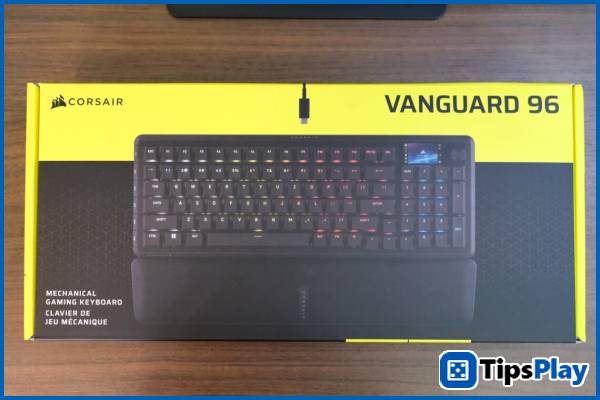
Corsair Vanguard 96 – Complete design with many cool features.
Launched as part of a complete overhaul of its keyboard product line, the Corsair Vanguard 96 clearly inherits much of the design philosophy of the renowned K70 series, while simultaneously incorporating a host of modern technologies and features that Corsair has accumulated over the years.
This is most evident in the familiar low-profile body design of the K70 series, where the switches and keycaps are completely exposed and separated from the body, thereby emphasizing the RGB effects on each key to create a floating, dynamic feel when displayed.
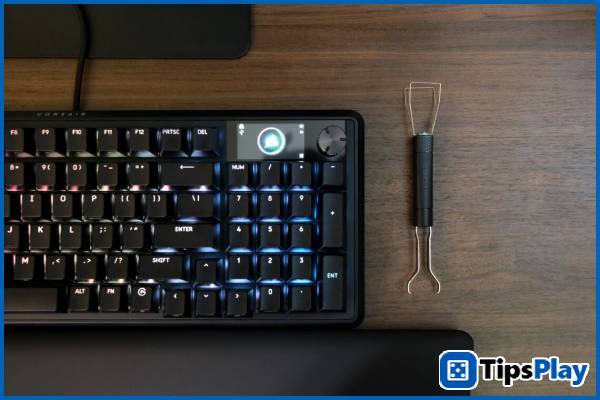
Upon unboxing, the Corsair Vanguard 96 reveals a relatively generous package of components for a keyboard positioned in the mid-to-high-end segment, including a quality braided USB-C cable, switch and keycap changing tools, and a comfortable leather wrist rest.
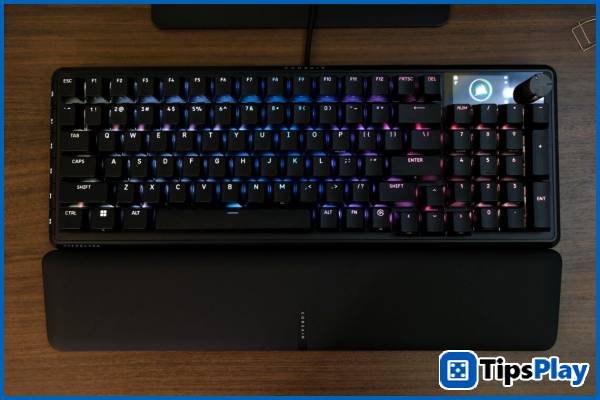
Using a 96-key layout, the Corsair Vanguard 96 initially appears as compact as many TKL keyboards, but offers an extremely full typing experience with four smaller navigation keys to 'make room' for the keypad found on traditional full-size keyboards – similar to how Glorious successfully implemented the GMMK 2. Therefore, this keyboard can be considered suitable for both gaming and office tasks.
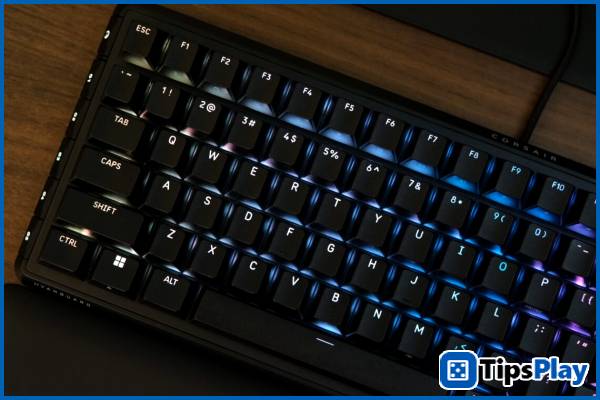
Looking at the details, the Corsair Vanguard 96, although entirely made of plastic, feels very solid and premium, especially in the typing experience. The keys are evenly lubricated, and the stabilizers are robust, preventing any 'shaking' – particularly on the space bar – unlike many mechanical keyboards today.
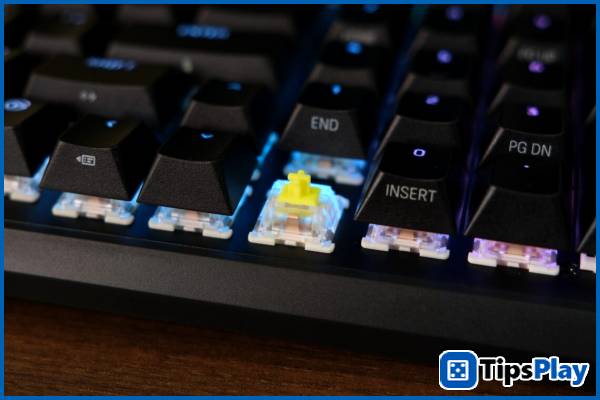
Using Corsair MLX mechanical switches – specifically the tactile Fusion version in this article – this Corsair switch model offers a typing feel similar to Cherry MX Brown, with a slightly lighter actuation weight of 40g compared to 45-55g, while simultaneously providing a much smoother and quieter experience thanks to the pre-applied lube, resulting in a clearer and more crisp 'thocky' sound.
Thanks to its relatively light actuation weight and tactile 'click' feel, the Corsair MLX Fusion is suitable for a variety of tasks, remaining responsive and fast enough for shooter games like Apex Legends and Marvel Rivals , yet flexible enough for MMORPGs or simple office tasks.
Additionally, the Corsair Vanguard 96 features hot-swap capability, allowing users to easily switch between different 3- and 5-pin switches available on the market.
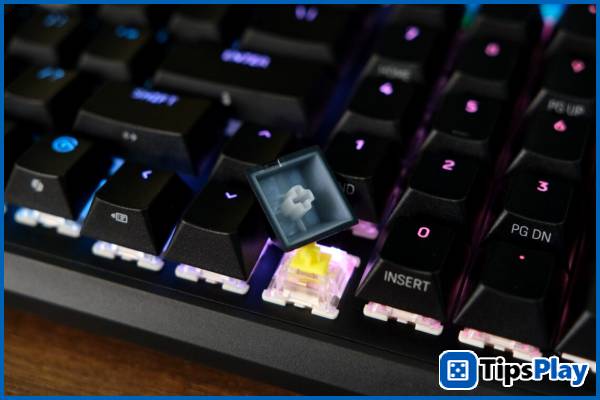
The keycaps on the Vanguard 96 are also meticulously crafted by Corsair using premium PBT Double Shot material, ensuring high durability even with prolonged use – evident in the high level of detail in the workmanship and the easy-to-press texture of the keycaps.
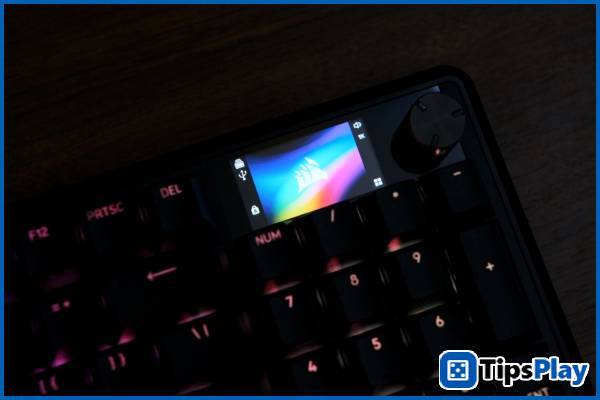
One of the highlights of the Corsair Vanguard 96 is undoubtedly its 1.9-inch LCD screen, which allows users to personalize the keyboard with images and videos, as well as display full information about the connection mode and currently active functions.
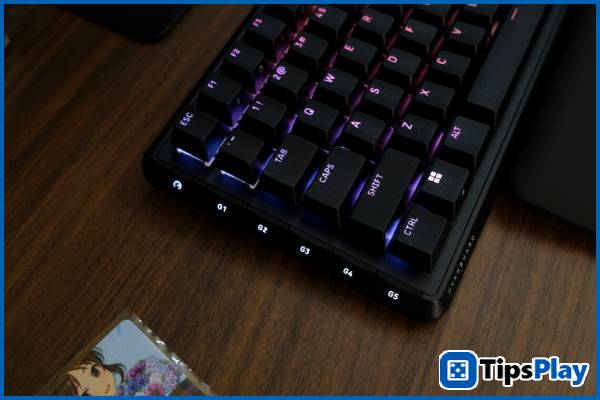
With five hardware settings and a separate 'Game Mode', the buttons located on the side of the Corsair Vanguard 96 allow users to quickly activate and switch modes, thereby rapidly changing customizations such as refresh rate up to 8,000 Hz, Windows key lock, or RGB effect settings.
Overall, the Corsair Vanguard 96 offers a complete user experience through its many supported features, while the core of a mechanical keyboard is still emphasized to deliver a satisfying typing feel and high customization capabilities.
Corsair Vanguard 96 – Convenient customization and deep integration
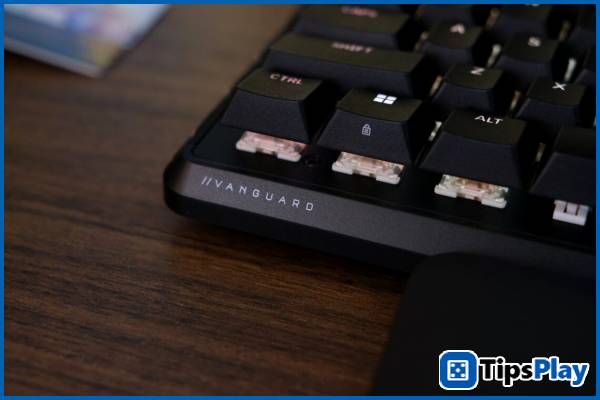
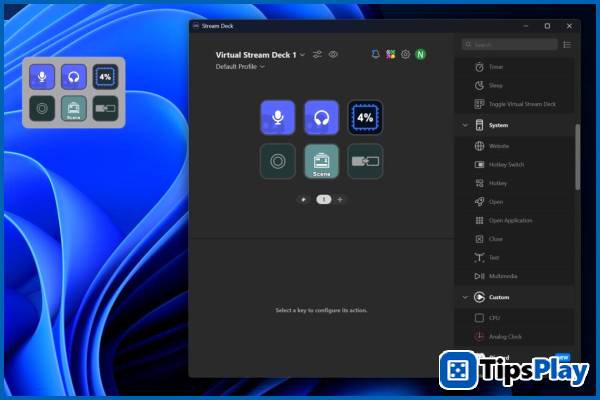
Equipped with a quick-activate Stream Deck button, the Corsair Vanguard 96 gives users the ability to control the Virtual Stream Deck directly on the keyboard with many options that can be configured on the Elgato Marketplace: from convenient Discord control, diverse software integrations such as Spotify, Voicemod, YouTube to pre-set OBS actions that can be quickly and accurately activated for livestreaming.
In the future, Corsair says it will add the ability to change the key combination for the quick-activate button via a firmware update.
Furthermore, the keyboard can now be fully configured, tweaked, and upgraded directly on the Corsair Web Hub website without needing to install iCUE as before, offering exceptional convenience regardless of the user's platform, from computers like Windows and macOS to support for Linux and even mobile operating systems like Android.
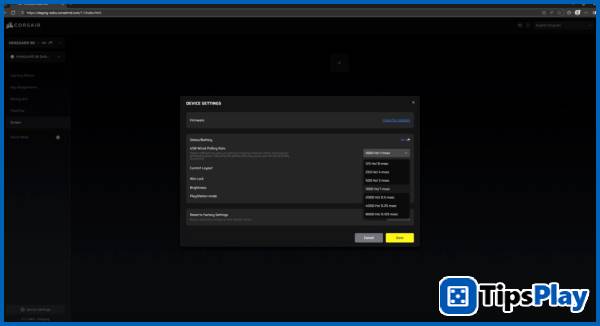
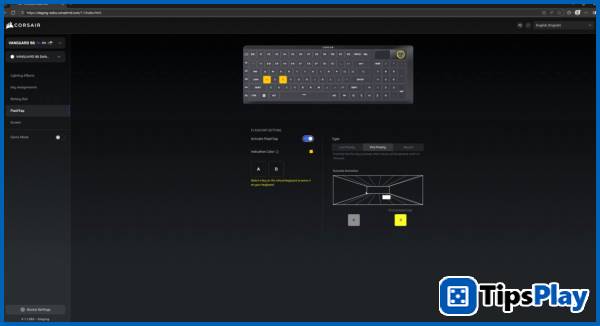
In practical experience, the keyboard's firmware recognition and update speed on the Web Hub is very fast, allowing users to completely skip the steps of downloading and waiting for software to be installed. Furthermore, customizable keyboard features can be changed and viewed in real time, along with an easy-to-use interface and the ability to save directly to the hardware without needing to run background software as before.
Update 19 March 2026
Micah Soto
Micah Soto is a creator of systematic processes encompassing the design, creation, testing, and maintenance of computer programs and applications. He transforms an idea or a set of user requirements into a functional software product that solves problems, automates tasks, or provides entertainment.