EasySMX M15 ? Quick Review
EasySMX M15 – In recent times, as mobile phones have become increasingly powerful with the release of numerous games, controller support on mobile platforms has been better met to satisfy the demand for handheld gaming.
From there, gamers have two controller design options to choose from when playing with their phones: one is a traditional 'monolithic' controller that connects wirelessly and uses the phone as a separate screen, or they can use a 'phone clip' controller to integrate multiple functions as a compact handheld gaming device.
However, with the market for 'phone clamp' gamepads lacking affordable options, the EasySMX M15 was launched to fill that 'gap' with many unique features, modern hardware, and a strong focus on the gaming experience.
With its attractive price, what surprises and limitations will the EasySMX M15 bring to mobile gamers? Let's find out with tipsplay.net!
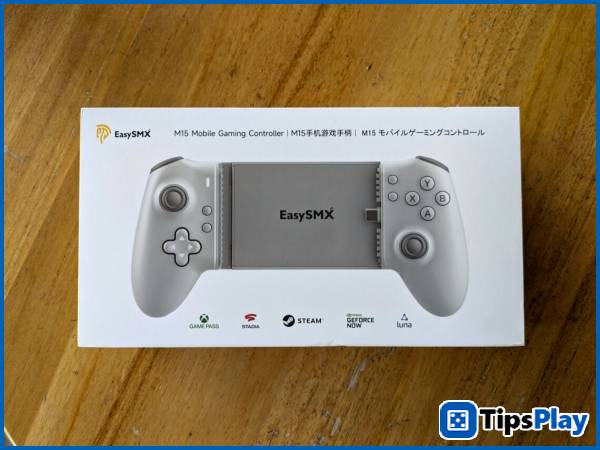
EasySMX M15 – A stable experience at a reasonable price.
With its simple packaging, supported cloud gaming services, and clearly printed controller design, the EasySMX M15 is notable for its full-form design, resembling a traditional controller adapted for mobile platforms.
On the back, a full list of the controller's hardware features is revealed, including a Hall sensor control system, 'Mecha-Tactile' mechanical buttons, vibration support, and a pair of customizable back buttons.
Upon unboxing, the EasySMX M15 only comes with a multilingual user manual and a sample controller, unlike most previous EasySMX controllers which included a range of additional accessories.
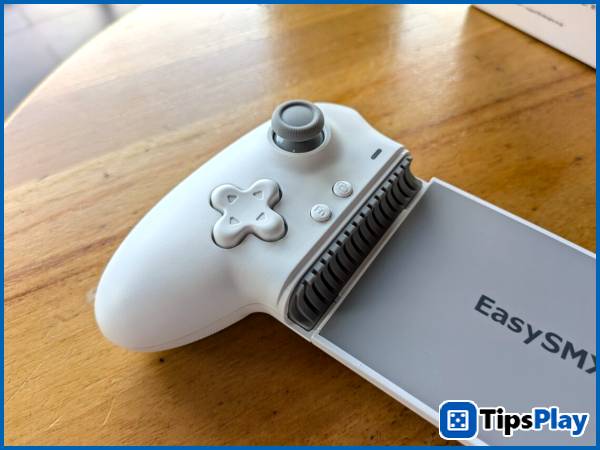
Compared to full-sized mobile gamepads 'defined' by large buttons, original joysticks, and traditionally designed handles like the Razer Kishi Ultra, the EasySMX M15 easily 'meets the standard' with certain differences, lying in attractive improvements along with some trade-offs due to its low price.
Similar to other EasySMX controllers, the M15 features full Hall sensors from the joystick to the shoulder button – a rare feature in 'phone clamp' controllers – to deliver a more premium experience through minimal 'dead zones,' reduced drift, and increased durability compared to traditional analog joysticks.
However, the joystick on the EasySMX M15 suffers from a smaller-than-usual movement area and poor build quality, along with two shallow shoulder buttons resulting in a somewhat less detailed control experience.
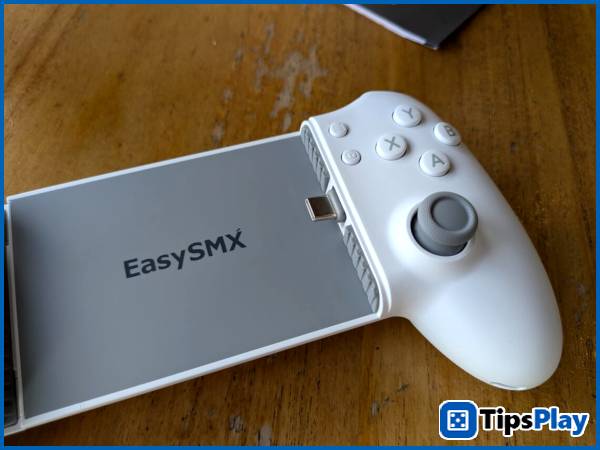
Next, the same 'clicky' mechanical buttons as the EasySMX X10 are also featured on the four ABXY buttons and the Dpad, with the slight difference being a lighter button activation and buttons that are smoother, similar to those on the Xbox Series X/S controller.
As a result, the handle offers quick button activation suitable for mobile games while maintaining a certain level of grip, simultaneously reducing the pressure required for a more comfortable gaming experience in various environments.
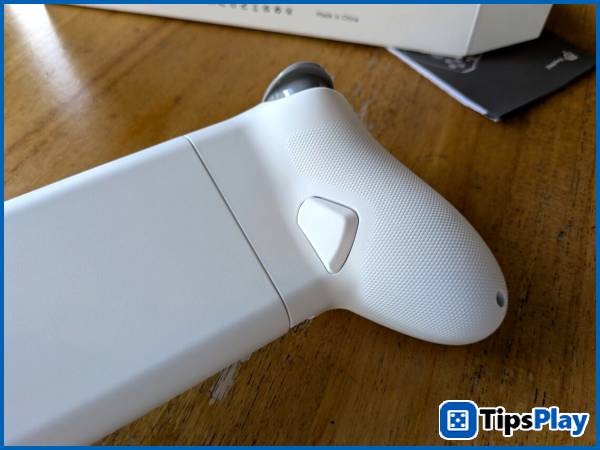
On the back, the EasySMX M15 features two easily activated back buttons that can be remapped to the physical buttons on the controller.
While equipped with a relatively large number of customizable features on paper, such as button settings, response speed, and layout changes, the EasySMX M15 suffers from the same problem as the company's cheaper controllers like the EasySMX X05: the lack of app-based customization, making the customization options difficult to set up and less flexible compared to using the Razer Nexus app.
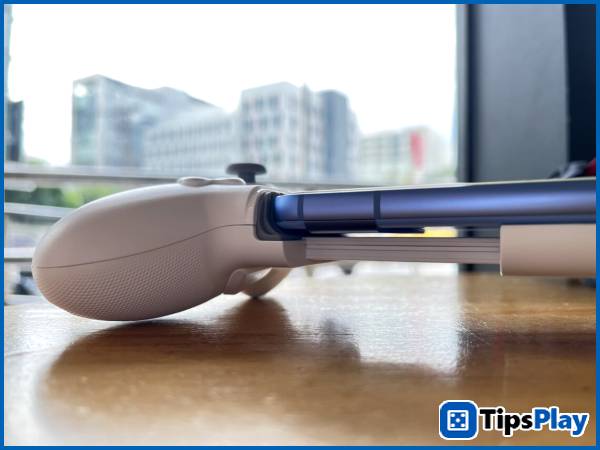
Instead of using spacers of varying heights like the Razer Kishi series to address the issue of phone size, the USB-C port on the EasySMX M15 is designed with the ability to move up and down via angle adjustment, partly to provide an easier mounting experience, as well as increasing compatibility with a wider range of phones.
However, due to the use of a 'two-piece' clamp design with a large contact surface area, its ability to securely hold phones equipped with 'huge' camera systems like the iPhone 15 Pro and Samsung S23 is limited.
Offering high compatibility, the EasySMX M15 is equipped with various connection modes for two mobile platforms, including three modes (HID, XInput, and virtual touch) for Android, and a customized mode specifically for iOS.
Additionally, the EasySMX M15 can connect wirelessly via Bluetooth using XInput mode to multiple platforms, although users still need to keep it attached to their phone to connect to the phone itself, or plug in a separate power cord to connect to a PC or gaming console.
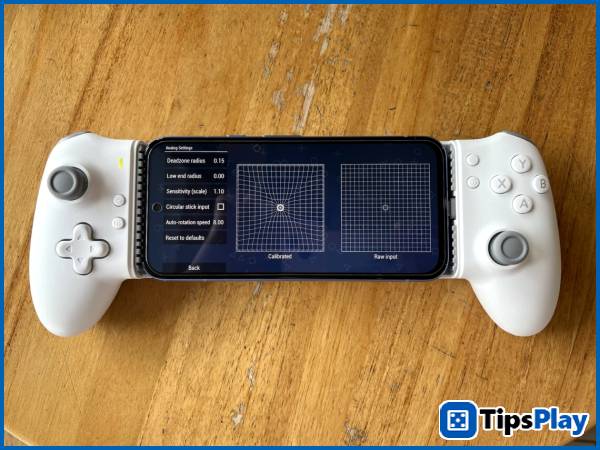
When calibrating the joystick in the PPSSPP emulator on Android, the EasySMX M15 delivers fast connectivity and impressive accuracy thanks to the Hall sensor used, with four-axis movement providing instant feedback even on the smallest movements.
Using the Steam Link app to remotely play PC games, the EasySMX M15 still fully supports the features of a regular gamepad, along with decent vibration feedback.
Summary
Overall, the EasySMX M15 easily meets the needs of handheld gaming, with some trade-offs in its limited customization options, not-so-great build quality, and its clamping capability not being as secure as that of high-end phones with large camera systems.
REFERENCE PRICE
1,523,000 VND
The prices listed above are for direct purchases from the manufacturer's online store. You can place your order here.
Update 19 March 2026
David Pac
David Pac is a senior IT professional who designs the overall technical vision and structure of a project, transforming business requirements into viable software/system solutions.