Elgato Stream Deck Mini: Discord Edition ? Gaming Gear Review
Elgato Stream Deck Mini: Discord Edition – When mentioning Stream Deck, everyone probably thinks of the versatile keypad that's always on a streamer's desk, considered an indispensable tool for 'coordinating' the stream with just a few button presses and displaying real-time status.
But for the average user, this was once a relatively 'unfamiliar' tool due to limitations in integration with popular applications, a very high starting price, or a somewhat excessive number of buttons .
Therefore, Elgato launched the Stream Deck Mini and later the Stream Deck Neo with the ambition of expanding the product line to a wider range of customers, supporting gamers in intense action sequences, programmers in quick debugging , and ordinary users in entertainment, work, and semi-professional content creation.
In partnership with Discord, a social network focused on community chat rooms, Elgato has launched Stream Deck Mini: Discord Edition , aimed at casual gamers, offering a fun and compact Stream Deck experience.
Compared to the regular version or traditional Stream Decks, does the Mini version have to compromise on anything to achieve its more attractive lower price?
Let's unbox and find out together with tipsplay.net!
You will like it
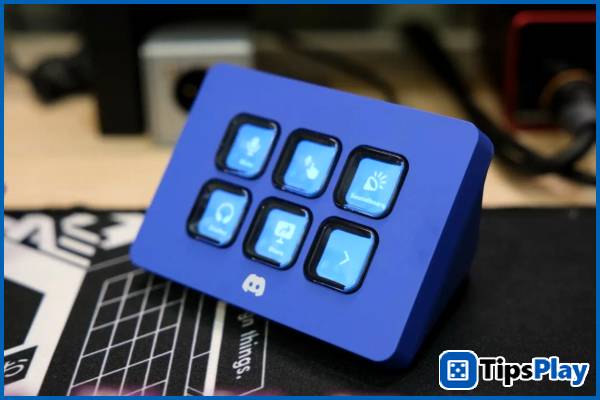
Elgato Stream Deck Mini: Discord Edition – Compact and convenient!
Considered the 'entry -level ' product line for the Stream Deck experience, the Stream Deck Mini offers a more compact and convenient option at a reasonable price, featuring a six-button (2x3) matrix that is 'sufficient' compared to the traditional 15-button (3x5) Stream Deck version aimed at professional users.
At first glance, the Discord Edition of the Stream Deck Mini retains the familiar, convenient design with its plastic body and LCD screen, but the exterior features Discord's exclusive Blurple color scheme and matching buttons for a more interesting look.
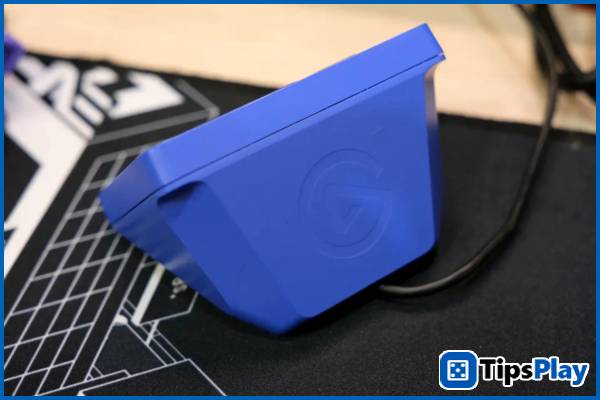
Therefore, the user experience remains very easy, and the quick setup of the Stream Deck Mini is preserved. Users simply need to install the software and connect, and this versatile keypad is ready to go, with personalized key customizations for the Discord version.
Despite being a smaller version, the Stream Deck Mini is still equipped with full rubber dome key technology, ensuring accurate key press recognition at any angle, even if the trigger point is slightly off during intense action sequences.
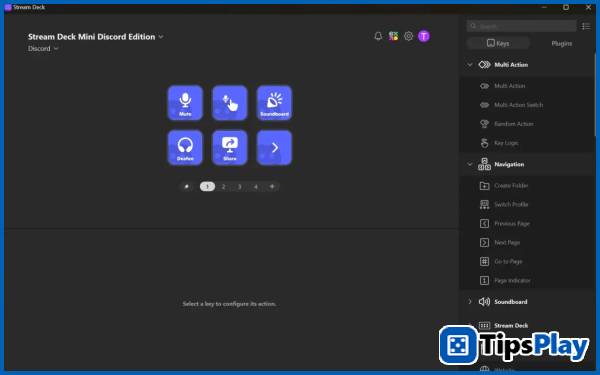
Beyond its high-end hardware, the Elgato Stream Deck Mini: Discord Edition's accompanying software ecosystem is equally impressive, featuring full integration with popular software, from content creation applications like OBS Studio, Voicemod, YouTube, and Twitch, to utilities like Spotify, iCUE, and especially Discord. Furthermore, community-generated plugins with a wide range of hardware and software integrations are also supported through the Stream Deck SDK.
For streamers, common actions such as scene transitions, starting and stopping recording, or changing audio filters can easily be configured and divided into multiple matrix pages.
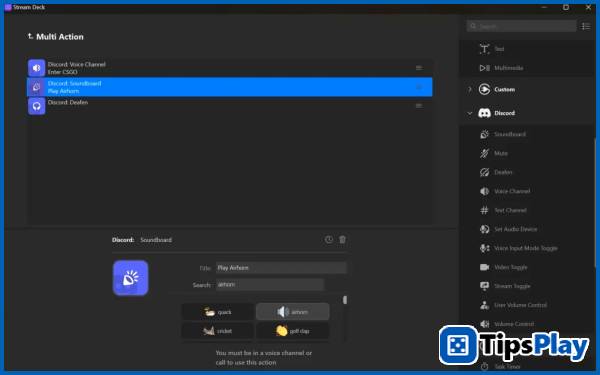
Similar to the average user, almost any mouse and keyboard shortcut action can be configured, including actions like turning the microphone and video on/off, to more advanced features like switching voice channels, soundboard, and screen sharing on Discord. Actions can even be grouped into a 'sequence' to trigger, creating convenient 'configuration sets'.
Additionally, professional users such as programmers and creators can also leverage Stream Deck with integrations like Visual Studio Code, JetBrains, and Adobe Photoshop to accelerate their workflow, making coding and rendering actions faster.
In addition to actions, each button on the Stream Deck Mini can also be configured to display real-time information such as time, weather, or even smart home sensor data.
Additionally, for creators who are frequently on the go, Stream Deck Mini now fully supports iPad via the Stream Deck Connect app, offering most familiar features no matter where the user is.
You will hate it.
Elgato Stream Deck Mini: Discord Edition – The Limitation of Button Count
Although the Elgato Stream Deck Mini: Discord Edition boasts excellent integration with many third-party applications, the limited number of buttons on this gear may pose some limitations in the future when users need to perform more advanced tasks.
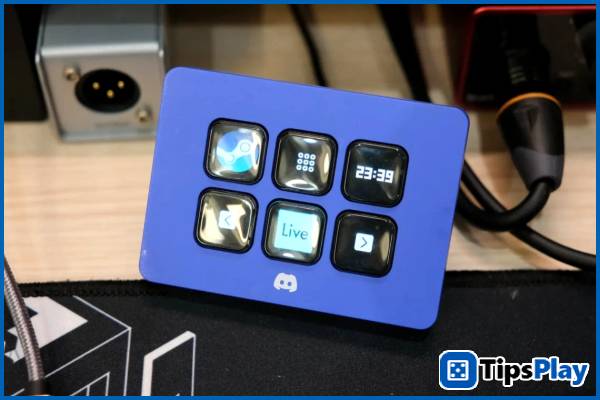
Typically, with a large number of actions, although Stream Deck allows for the creation of multiple pages, the convenience of activating them is somewhat reduced, requiring users to remember the location of the action to avoid getting lost when switching pages. Furthermore, the six-button matrix is ??reduced to only four truly usable buttons, as the two page-switching buttons are hardcoded and cannot be separated into two touch-sensitive buttons like in Stream Deck Neo.
For users who frequently travel, the Stream Deck's rigid, non-detachable cable system can be a bit inconvenient, especially in setups requiring slightly longer cables.
Update 19 March 2026
David Pac
David Pac is a senior IT professional who designs the overall technical vision and structure of a project, transforming business requirements into viable software/system solutions.