Razer Viper V3 Pro Faker Edition ? Improvements in the world of competitive gaming mice.
Razer Viper V3 Pro Faker Edition – In recent years, smaller, lesser-known manufacturers have gradually made significant technological advancements and released many high-performance gaming mice at very affordable prices.
This puts immense pressure on traditional gaming accessory manufacturers, forcing them to conduct more in-depth research and create higher-quality products if they don't want to be eliminated from the market.
In this context, Razer, a pioneer in mouse manufacturing, has also made significant strides in developing its gaming mice, not only equipping its products with high-end hardware but also collaborating closely with component manufacturer Pixart Imaging to launch its own line of optical sensors for gaming mice, the RAZER Focus Pro Optical Sensor.
Most recently, the RAZER Focus Pro 35K Optical Sensor Gen-2 was released and is featured in the Razer Viper V3 Pro gaming mouse.
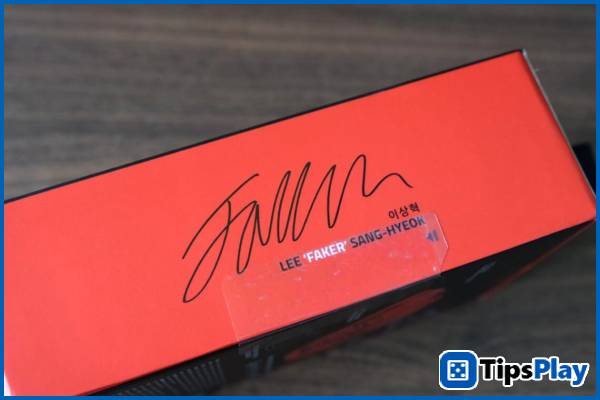
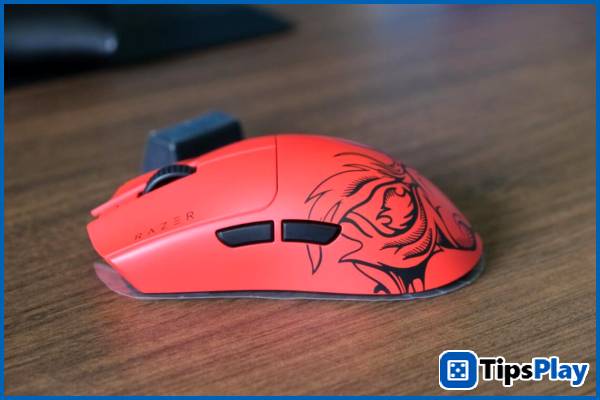
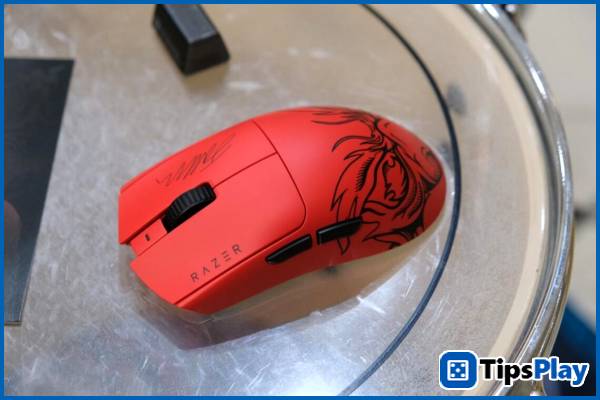
Not stopping there, Razer released the Razer Viper V3 Pro Faker Edition with new updates and enhanced features, making this mouse a leading customizable product in the competitive gaming mouse market today.
What are these hardware and software integration features, and how do they impact gamers? Let's find out together at tipsplay.net!
TECHNOLOGY
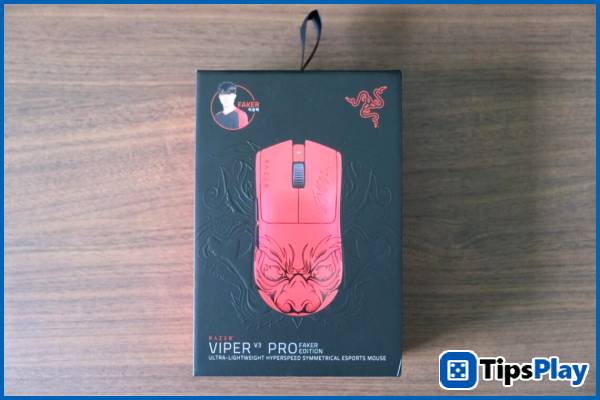
Razer Viper V3 Pro Faker Edition – Hardware Customization Capabilities
It must be said that the RAZER Focus Pro 35K Optical Sensor Gen-2, equipped in the Razer Viper V3 Pro Faker Edition, is an extremely special optical sensor produced by Pixart Imaging, offering incredibly high customization capabilities in today's mouse sensor world, not only in factors such as speed in DPI and sampling rate as commonly seen in previous high-end gaming mice.
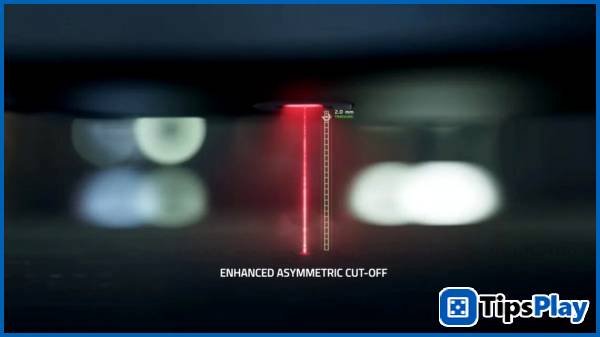
The first factor worth mentioning is the customizable Asymmetric Cut-off distance.
The stop distance is the maximum distance at which an optical sensor can detect feedback from the mouse surface. Typically, for most optical sensors, this distance is a fixed number, forcing users, especially professional gamers, to "follow" the mouse during operation.
This is very problematic because, in reality, esports players have vastly different needs and habits.
With fast mouse movements, players can easily push the mouse too far and need to return it to a convenient position. Lifting the mouse too high can add a little extra time (even if only in milliseconds) to the extremely fast operation, potentially creating a minor disadvantage for the player. Some players, however, tend to lift the mouse only a short distance, but the optical sensor still provides sufficient grip for extremely fast, frictionless movements.
That's why the RAZER Focus Pro 35K Optical Sensor Gen-2, featured in the Razer Viper V3 Pro Faker Edition, allows users to customize their stop-motion distance. You can adjust this distance to your preference with 26 levels to suit different mouse movement habits. For example, if you lift your mouse frequently, you can adjust it down to 0.7mm for the fastest possible rebound, or if you prefer a frictionless aiming, you can increase it to 2mm in the control panel to your liking.
The second key factor is the ability to adapt to the surface on which the mouse is placed.
There's a fact that few people pay attention to, or even ever think about: mousepads have a huge impact on mouse performance, especially since different surfaces can create subtle changes in how the eye perceives information, thereby affecting the player's performance. Imagine aiming at an opponent at a distance; if the aiming reticle shifts by just a few pixels for a split second, the result will be completely different.
That's why the Razer Viper V3 Pro Faker Edition mouse features auto-calibration to ensure accurate user input on various mousepad surfaces.
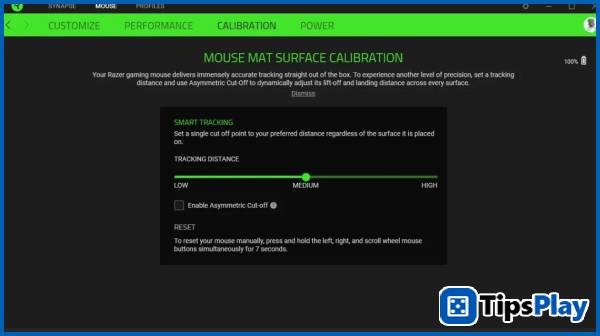
Furthermore, this feature is so powerful that the RAZER Focus Pro 35K Optical Sensor Gen-2 can even work on glass surfaces, which are extremely challenging for optical sensors due to their high reflectivity and smoothness.
Finally, Motion Sync, a controversial feature for gamers accustomed to the somewhat flickering movement of gaming mice, is also a unique feature developed by Razer and Pixart Imaging to improve the movement capabilities of their competition mouse.
For the vast majority of mice on the market today, the mouse cursor doesn't simply move according to the user's hand movements; the mechanism is much more complex. Signals from the optical sensor are processed into a sequence of coordinates displayed on the computer screen to redraw the cursor's movement from the starting point to the next. This makes the mouse's path almost instantaneously teleportation from one point to another. These points are often not precisely the exact location the user intends to reach, with a certain degree of deviation.
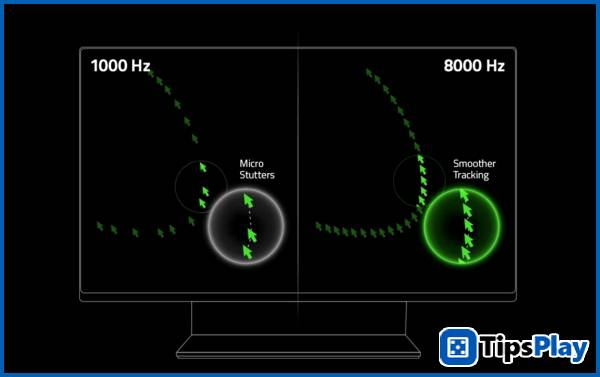
One of the technical solutions implemented in the past few years is to increase the polling rate to 8000Hz to shrink the 'instantaneous movement area' of the mouse, creating a smoother movement path, similar to how audio files increase their sampling rate to produce sound that is closer to analog quality.
Razer further enhances mouse cursor smoothness by leveraging computational power to more accurately predict cursor 'drop points' through Motion Sync, creating smoother and more natural movements that closely mimic the user's hand movements.
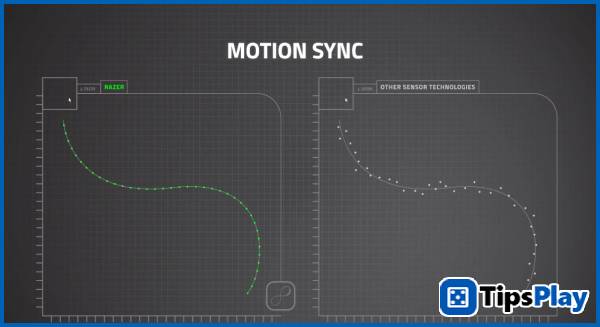
Of course, for those who are already very familiar with the traditional way of the mouse cursor 'dropping', this feature will give you the illusion that the cursor is 'drifting', so you can completely turn this feature off if you wish.
Razer Viper V3 Pro Faker Edition – Motion Correction Features
Not only are the hardware features customizable, Razer also researches and enhances its gaming mouse models with motion correction features based on scientific studies of how gamers, especially esports players, use mice in competitions.
Most notably, it features dynamic speed adjustment (Dynamic Sensitivity).
The ability to change mouse speed in DPI via a button has long been integrated into gaming mice, but in reality, players tend to stick with a fixed speed level because changing the speed in the middle of a game is completely impractical.
Corsair also experimented with equipping some mouse models, such as the Corsair M65 RGB Ultra Wireless, with a Sniper button to quickly switch the mouse to a slower speed for moments requiring precision and accuracy. However, this method is no longer used in recent products due to certain inconveniences.
Razer takes a different approach by incorporating dynamic speed adjustment into the drivers of the Razer Viper V3 Pro Faker Edition .
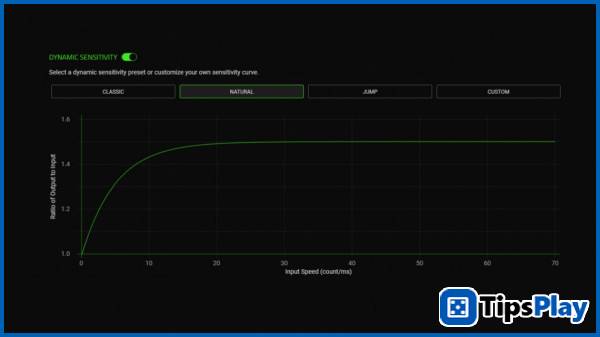
With accelerometer data, users can create dynamic DPI change curves based on their habits and preferences. For example, precise and meticulous operations can be performed at a low DPI level, but then quickly switch to a higher DPI level as the user increases hand speed for fast-paced actions that keep up with the user's hand movements.
In addition, it features a mouse rotation adjustment tool (Rotation Tool).
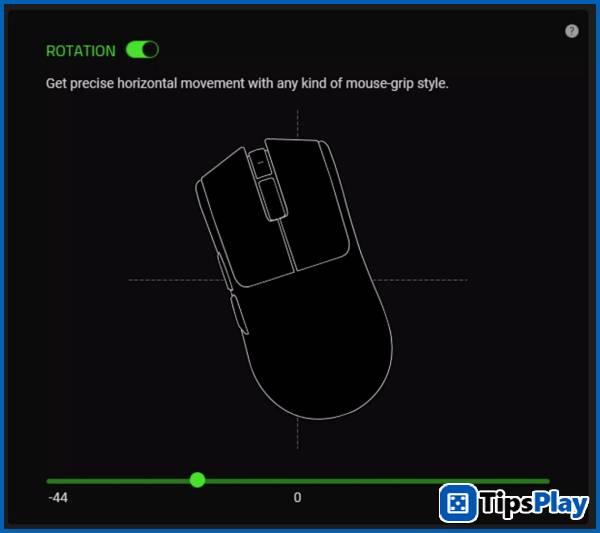
Regardless of whether the mouse is designed with an ergonomic shape to fit comfortably in the hand or a symmetrical design, the user's grip tends to lean inward, causing the mouse to operate at a slight angle relative to its vertical axis. Furthermore, hand movements also cause horizontal operations to be skewed to one side depending on whether you rest your wrist or elbow on the ground.
That's why Razer introduced the Rotation Tool feature to help you adjust this. All you need to do is recalibrate using Razer's built-in app, then adjust the tilt angle according to the suggestions to achieve the best horizontal movement.
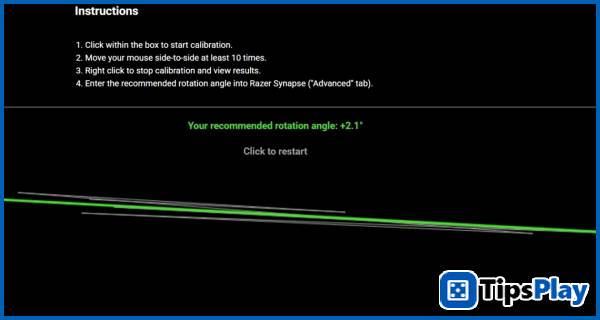
Finally, Razer also allows users to save all these settings and 'transfer' them to a new mouse. This feature allows players to quickly switch mice immediately if they accidentally drop their mouse or experience any other malfunctions during a match.
CONCLUDE
With its many advanced features, the Razer Viper V3 Pro Faker Edition is one of the most customizable mice on the market for esports players, allowing users to create a mouse that is perfectly tailored to their individual needs.
This is also a clever move by Razer to create some of the best gaming mice on the market today, capable of making a distinct mark for its products.
Update 19 March 2026
Marvin Fry
Marvin Fry is a game analyst who serves as a crucial link between data and game design, using in-game metrics and player behavior data to improve game quality, engagement, and monetization.