HP EliteBook 630 G9
HP EliteBook 630 G9 – HP has long been renowned for its office laptops and business-oriented product lines, so when considering purchasing an elegant laptop to take with you to work or on business trips, this is always a brand that users trust.
Among HP's laptop lines, the EliteBook has always represented a range of compact machines with premium design and powerful configurations, targeting office users and business professionals, and is also a top choice for a compact office laptop.
Although HP has started introducing the 630 G10 version to the market, the current HP EliteBook 630 G9 version is still a more reasonable choice, especially for users who are not too keen on the latest cutting-edge technology.
With support from HP Vietnam, tipsplay.net had the opportunity to test this model as a work laptop to provide readers with a detailed look at the product.
Let's find out together!
You will like it
HP EliteBook 630 G9 – Stylish, powerful, and robust!
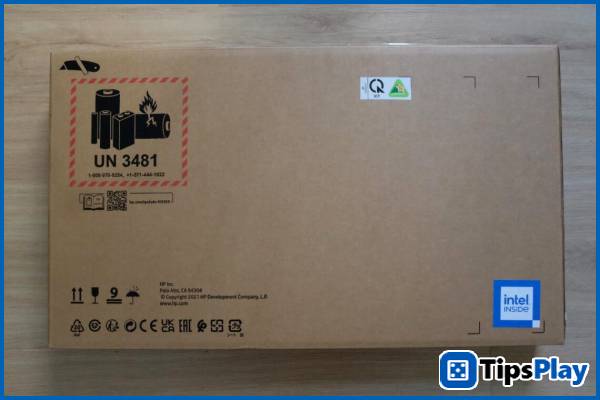
The first impression of the HP EliteBook 630 G9 for the author was its neat yet elegant appearance, despite being packaged in a recycled paper box instead of the usual beautifully printed boxes.
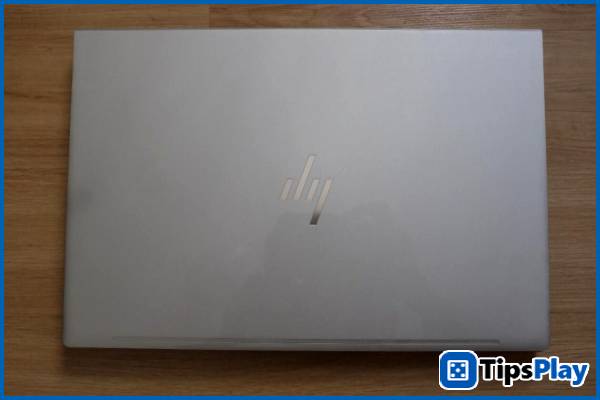
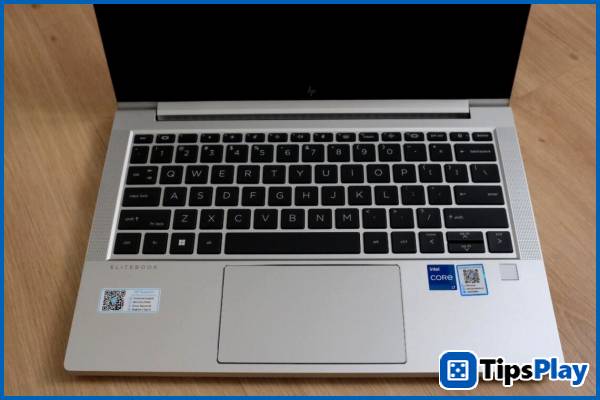
The device is quite small, completely encased in a sturdy metal shell on all surfaces, giving it a more luxurious and robust appearance compared to some other models using the same material.
On the side, the connectors are all incredibly precisely machined, even the LAN port is constructed with a clamping mechanism to ensure the device's slim profile.
On the other side, the HP EliteBook 630 G9 is also equipped with a Thunderbolt 4 port, providing ultra-fast data transfer speeds and the ability to deliver power and output video at high resolutions up to 8K, as well as the latest generation HDMI 2.1 port.
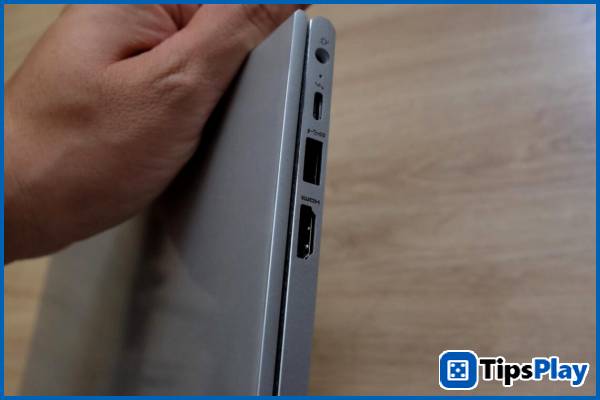
Overall, you'll have all the necessary ports for everyday tasks without needing any additional adapters, unlike with Macbook models.
When the screen lid is opened, the hinge is one of the most noteworthy details, completely encased in a sturdy metal frame, yet still operating incredibly smoothly, allowing users to easily open the screen with just one finger.
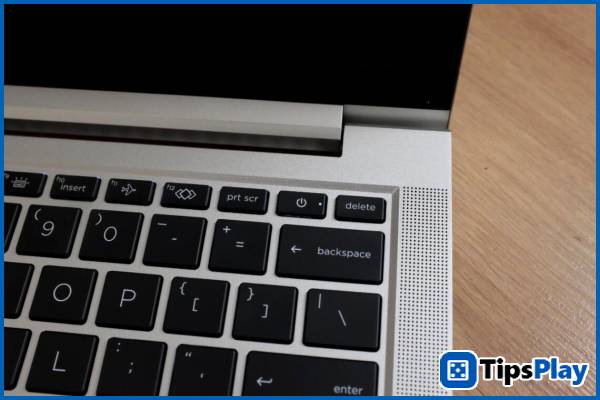
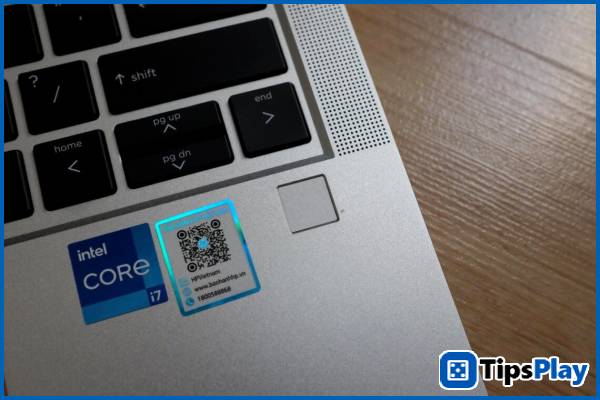
The power button is positioned at an angle to the right of the keyboard like a regular key, while the fingerprint recognition area is placed at the bottom right corner of the keyboard, making it convenient for users to start up and log in with Windows Hello using only one hand.
Equipped with the power-efficient Intel Core i7 1255U processor, the HP EliteBook 630 G9 can easily handle all daily tasks, from opening demanding PowerPoint presentations with heavy effects to Excel spreadsheets with tens of thousands of rows of data…
The version the author received has 16GB of DDR4 RAM, but there are also versions on the market that only come with 8GB of RAM. With these versions, users still have an extra RAM slot to upgrade the memory capacity and configure it to run in dual-channel mode to increase system speed.
While not as powerful as machines with dedicated graphics cards, the Intel Iris Xe graphics solution is sufficient for users to enjoy some light games like CS:GO or League of Legends at acceptable frame rates.
The included battery has a capacity of 42Wh, advertised by the manufacturer to provide up to 11 hours of usage. However, under mixed usage conditions including both office tasks and entertainment, the author recorded a battery life of over 8 hours and 30 minutes, more than enough for a full workday without needing to recharge.
The device is also equipped with a small webcam with 720p resolution, sufficient for users to make calls and participate in online meetings, especially in the context of working from home becoming a new trend.
In terms of connectivity, this laptop model is also equipped with advanced power-saving Wifi 6E and Bluetooth 5.3 wireless connectivity, capable of providing users with continuous, fast connections with low latency.
Overall, the HP EliteBook 630 G9 is a well-built, sturdy laptop with sufficient power and battery life for most of today's daily tasks.
You will hate it.
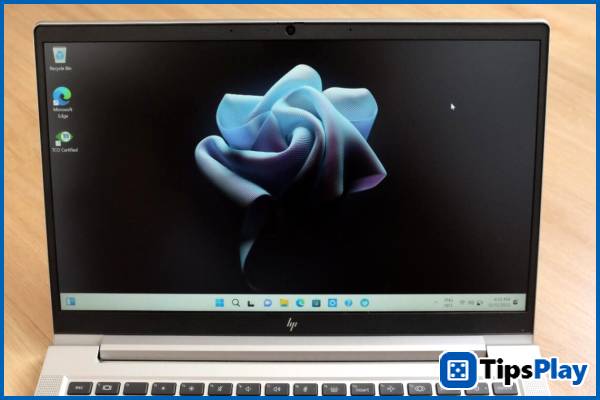
HP EliteBook 630 G9 – Screen, keyboard, memory card slot
While the HP EliteBook 630 G9 boasts a fairly good build quality, it still has some notable drawbacks that you should consider.
Firstly, the 13.3? screen on this laptop has rather thick bezels, average color display quality, and a relatively low maximum brightness of only 250 nits, while many other models in the same segment are equipped with better quality panels, and some models have even started to feature high-quality OLED screens.
This means that the entertainment experience on laptops isn't as satisfying as expected.
In addition, the keyboard has a relatively short key travel, poor key bounce, and a compact size, making it more difficult for typical office typing. It's best to use a small, wireless external keyboard for the best typing experience.
Finally, the laptop also lacks a built-in card reader for photography enthusiasts who need to copy photos to the machine immediately after shooting. This is a minor inconvenience compared to many other laptop models on the market today.
Update 19 March 2026
Micah Soto
Micah Soto is a creator of systematic processes encompassing the design, creation, testing, and maintenance of computer programs and applications. He transforms an idea or a set of user requirements into a functional software product that solves problems, automates tasks, or provides entertainment.