ASUS ProArt Display PA147CDV s
ASUS ProArt Display PA147CDV – In recent years, especially during the pandemic when people had to study and work from home, PC users have become accustomed to the concept of multitasking. As a result, expanding display space has become a real need for various user groups, including professionals and top gamers.
The simplest solution is to purchase additional monitors to create a multi-monitor setup. Alternatively, you could opt for large 21:9 ultra-wide aspect ratio monitors to increase display space, but this isn't always feasible due to limitations in desk space or the equipment being used.
For example, if you frequently use your laptop for mobile work and don't have a fixed workspace, buying an additional "large" monitor is completely impractical, and thus, portable monitors become a suitable option, giving you more workspace.
Among the portable monitor models currently on the market, ASUS offers quite a few options for users, including the ASUS ProArt Display PA147CDV version with a unique and extremely compact design, different from most portable monitors available today.
Is this monitor model a good option for expanding display space?
Let's explore this together!
YOU WILL LIKE
ASUS PROART DISPLAY PA147CDV – A UNIQUE, YET USEFUL DESIGN!
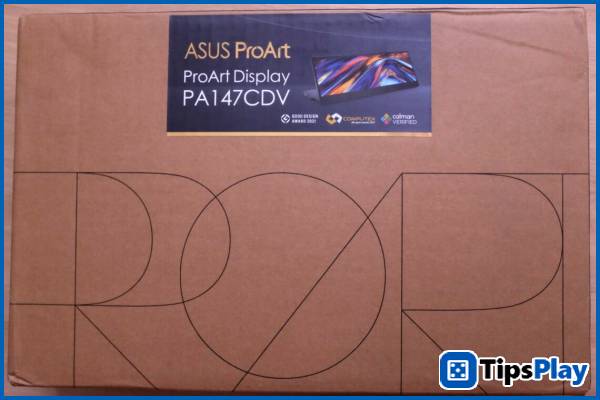
It's worth noting that even before the pandemic, ASUS had been focused on expanding display space for users by launching laptops with two or more screens, starting with the ASUS ZenBook 15 UX534FT and later the ROG Zephyrus Duo 15 gaming laptop series, providing users with more workspace.
Perhaps it was from that idea that the ASUS ProArt Display PA147CDV was launched as an external accessory rather than a portable monitor in the conventional sense.
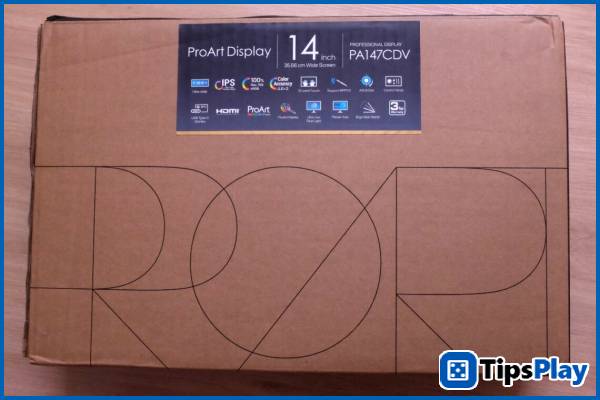
This is evident from the exterior design, as ASUS uses recycled paper packaging instead of the glossy, printed cardboard boxes found on other product lines.
The back displays some notable technical information about this monitor, most notably its ultra-wide 31:9 aspect ratio, IPS panel with 100% REC. 709 color gamut coverage, and sRGB color gamut with a color deviation ?E<2.
This screen also features touch capabilities along with HP's MPP 2.0 stylus and ASUS Dial, allowing users to fine-tune parameters/colors in the style of the renowned Surface Dial.
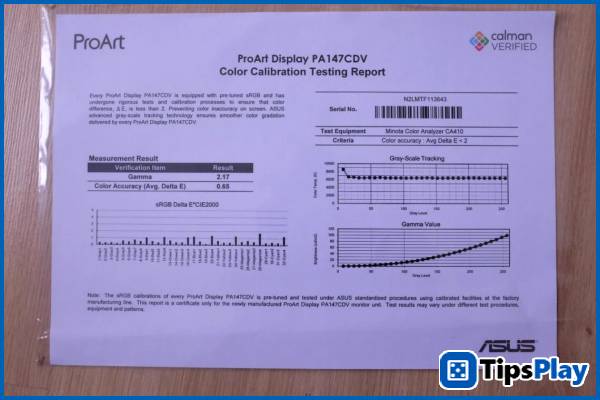
Inside the box is the ASUS ProArt Display PA147CDV along with several accessories, including a carrying case, a USB Type-C cable for DisplayPort video data transfer, an HDMI cable, and a factory-calibrated color certificate with a color deviation of ?E<2.
The monitor is designed in a foldable form factor with a main stand that houses the ASUS Dial knob and connection ports on the back, and it's tilt-adjustable, suitable for a variety of uses.
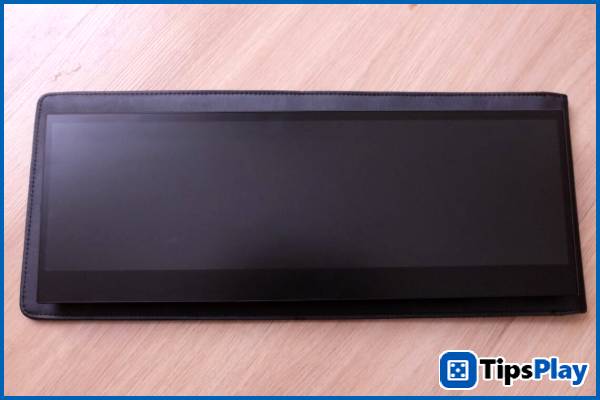
With this stand, you can lay the screen completely flat on the table and use it as a touch drawing tablet, or tilt it to use streaming software as a true streaming support device.
You can even position this monitor vertically to monitor stream content and comments in real time, making it easier to interact with viewers, or simply browse comments on social media sites and forums, thanks to the 31:9 aspect ratio which easily displays content vertically compared to conventional monitors.
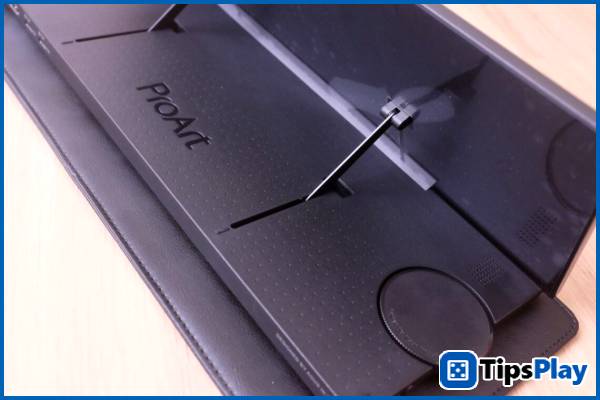
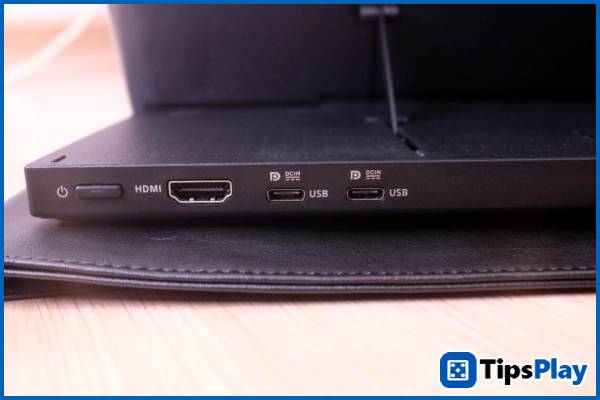
Users can choose to connect to the ASUS ProArt Display PA147CDV via a single USB Type-C cable with integrated DisplayPort video transmission, or via the HDMI port, but in this case you will need to provide additional power to the monitor using the included adapter.
Therefore, this monitor model can easily connect to both newer laptops and current desktop PCs for everyday use.
In practical use, this monitor model can almost meet all your needs!
As a gamer, I tend to choose large gaming monitors with high refresh rates and fast response times, such as the ASUS TUF GAMING VG32VQ. However, these monitors don't meet the color accuracy standards required for image editing in my other work.
However, the large size of these gaming monitors also prevents users from expanding their workspace with a second monitor.
Therefore, a compact monitor that doesn't take up too much space, like the ASUS ProArt Display PA147CDV, is a reasonable choice that meets the professional needs of users.

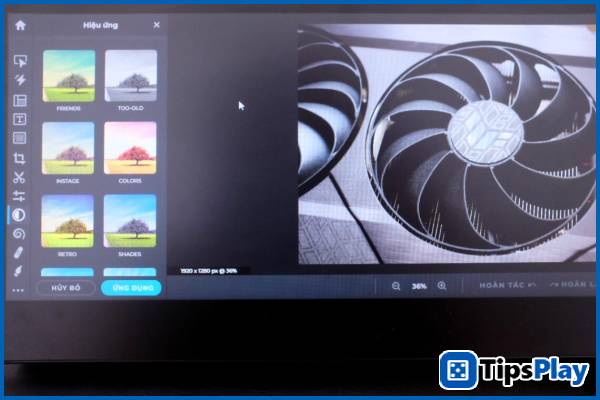
Furthermore, the stylus-compatible touch surface and ASUS Dial rotary dial provide users with an incredibly powerful tool for creative content creation.
You can use this rotary knob to increase/decrease the volume when using it with music/movie settings, similar to the scroll wheels on Corsair gaming mechanical keyboards, or use it in graphics applications to fine-tune color parameters while using the pen.
For gamers, an extended screen offers users a wider range of options.
For example, you can play games on the main screen and chat with friends via Discord on the secondary screen, or vice versa, taking advantage of the extra-long width of this monitor to play certain suitable games.
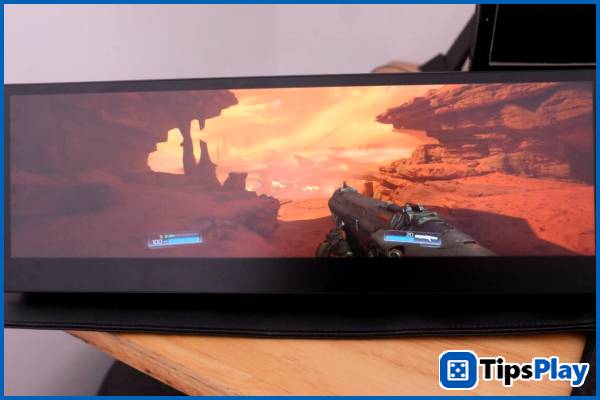


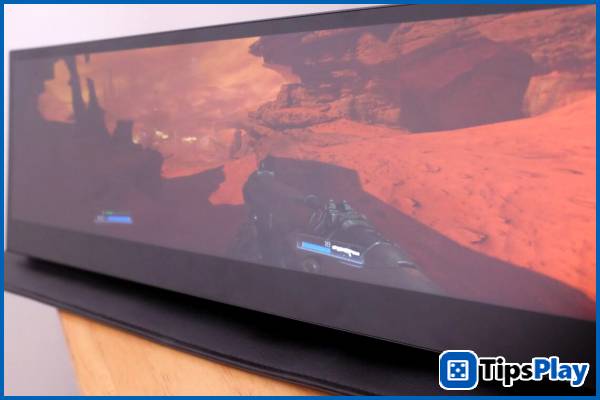
The author tested the game DOOM Eternal on the ASUS ProArt Display PA147CDV and the results were very interesting.
The 31:9 aspect ratio, larger than the standard cinematic ratio, combined with the ability to position the monitor close to the user, delivers a truly unique experience with an expansive, immersive gaming view.
YOU WILL HATE
ASUS PROART DISPLAY PA147CDV – PRICE AND SUPPORT SOFTWARE!
While an interesting and impressive product, the ASUS ProArt Display PA147CDV also has its limitations.
First, the 1920×550 resolution of this screen is quite unusual, and not all software supports it like with traditional mobile screens.
The author tested several games such as Far Cry 6 and used system monitoring and overclocking software like MSI Afterburner, but none of them performed well on this monitor.
Furthermore, support for the MPP 2.0 pen standard is quite new to most design users in Vietnam who are familiar with Wacom's 'drawing tablet ecosystem'. Therefore, if you are a professional designer, you will most likely have to spend money on a different pen and cannot reuse your existing Wacom pens.
Finally, although there has been no official announcement regarding the price in the Vietnamese market, the announced price of around 449 USD in the US market is many times more expensive than traditional mobile design monitors.
This makes the ASUS ProArt Display PA147CDV less attractive, given the numerous portable display options for design in this segment, with the strongest competition being even the OLED portable display option also manufactured by ASUS.
Therefore, you should carefully consider your needs before deciding to spend money on this unique portable monitor model.
Update 19 March 2026
Jessica Tanner
Jessica Tanner is a Technical Analyst who serves as a crucial link between an organization's business needs and its information technology (IT) systems. She specializes in evaluating, designing, implementing, and maintaining software, hardware, and network systems to optimize business processes.