Razer Kishi V3 Pro XL ? Hands-on and Quick Review
Razer Kishi V3 Pro XL – Recently, with the extremely strong growth of the mobile gaming market, it seems that more and more AAA titles are being 'greenlit' to be brought to tablets and smartphones, such as KRAFTON with Palworld , CAPCOM bringing many Resident Evil titles to Apple devices, and Ubisoft's plan to bring more titles to iPad and macOS.
However, with games primarily designed for controller use, porting them to touch screens can feel somewhat incomplete, as developers have to compromise between gameplay and control styles, resulting in an experience that feels less polished than on consoles or PCs.
Through this, Razer introduces Kishi as a solution to the problem of mobile gaming; instead of using a separate controller or an on-screen controller, Kishi 'clips' directly onto the device like a handheld gaming machine for a complete gaming experience.
Looking back at the 'third upgrade' of the Kishi product line, Razer has launched three different size versions: Kishi V3, Kishi V3 Pro, and Kishi V3 Pro XL, each designed for a specific device segment.
With the top-of-the-line model in hand, can the Razer Kishi V3 Pro XL meet the needs of gamers using medium to large-sized tablets for on-the-go gaming, and what upgrades will it offer compared to its already excellent predecessor, the Kishi Ultra?
Let's find out together with tipsplay.net!
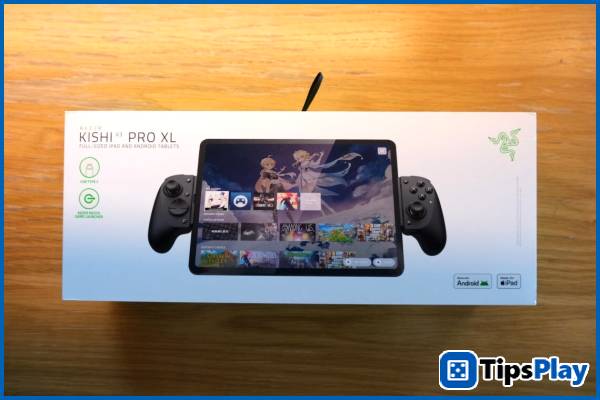
Razer Kishi V3 Pro XL – The perfect choice for a tablet experience.
If you're familiar with Kishi's 'phone clamp' gamepads, the upgraded Razer Kishi V3 Pro XL looks almost identical to the Kishi Ultra model released over a year ago, although it's been "scaled up" and focuses on a series of small improvements to make the mobile gaming experience even better.
Right on the box, Razer seems to focus solely on product design, with a highlight on the 'Made for iPad' certification and support for a variety of different Android tablets.
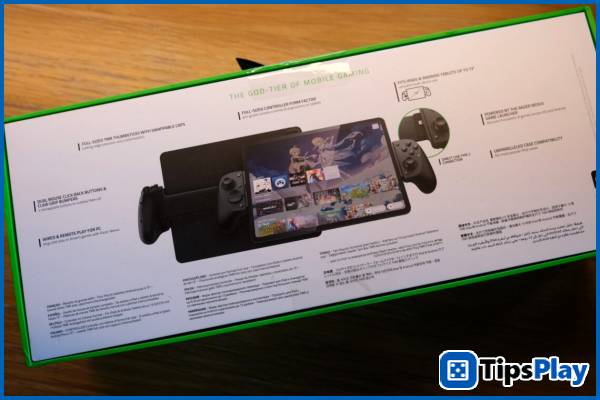
The back of the box provides more detailed information about the controller's features, including a Claw Grip bumper, two M1-M2 buttons, wired and remote PC connectivity, and replacement thumbgrips.
At first glance, the Razer Kishi V3 Pro XL has a 'full-form' design similar to traditional gamepads, with large buttons, a joystick with a wide travel area, a pair of triggers with deep actuation, and remapable back buttons like those found on high-end gamepads.
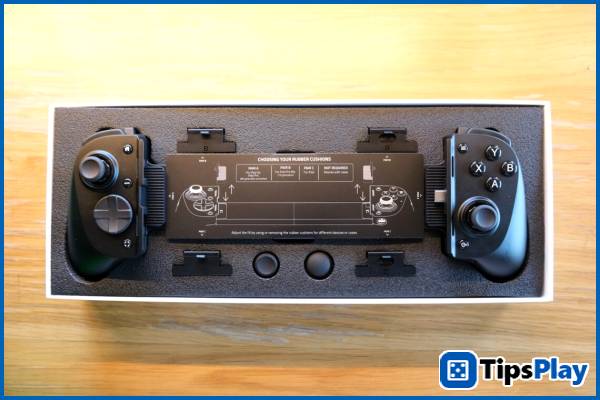
With a frame nearly twice as long as its predecessors, the Kishi Ultra and Kishi V3 Pro, the XL version supports clamping almost all popular tablets on the market today, such as the iPad (10.9-inch), iPad Air and iPad Pro (11, 12.9 and 13-inch versions), as well as Android tablets with screen sizes from 10 to 13 inches.
Thanks to this, the Razer Kishi V3 Pro XL is equipped with three different pairs of spacers for tablet models to provide the best possible grip and experience.
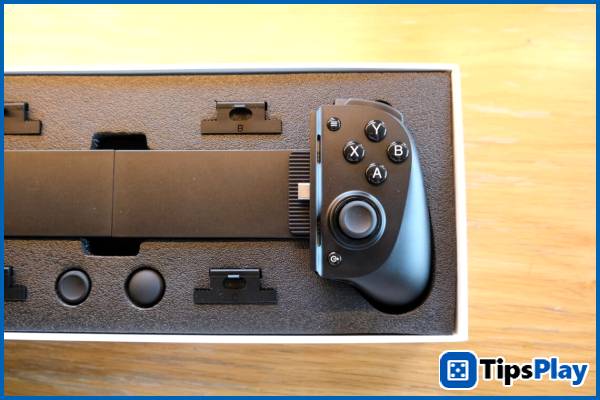
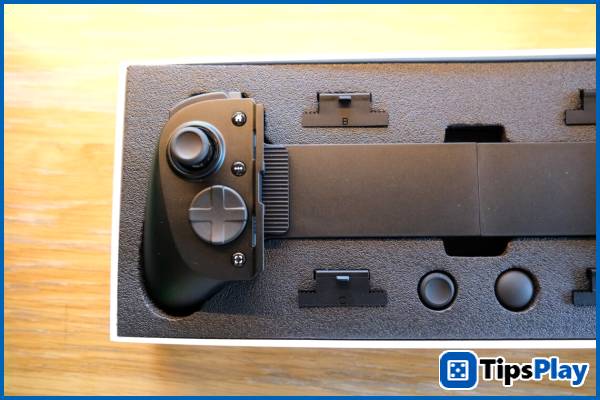
With the iPad Pro M1 (11-inch), the pre-installed A-shaped pads make the 'clamping' process easy and secure, with a small gap left on the back for efficient heat dissipation and to minimize slippage after extended use.
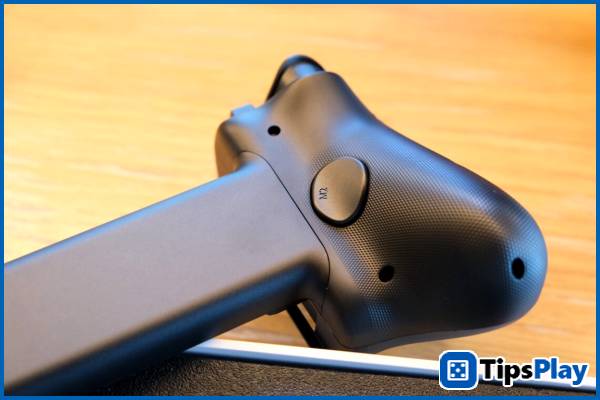
When first connecting the Razer Kishi V3 Pro XL to an iPad, users will be encouraged to install the Razer Nexus app to customize the controller (through button remap settings) and connect games across various platforms such as Apple Arcade, Steam Link, and GeForce Now.
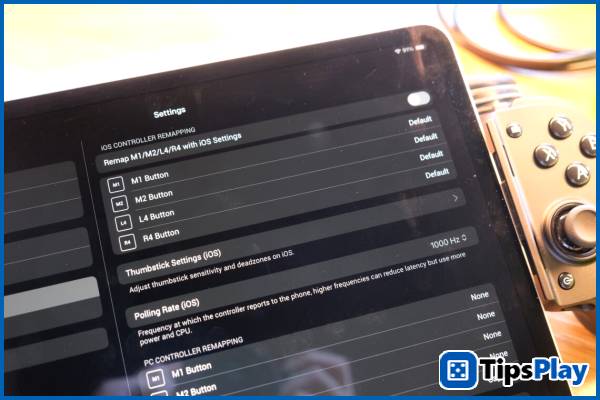
Upon first handling it, the Razer Kishi V3 Pro XL offers a relatively premium feel with its distinctive matte plastic material and ergonomic design that fits comfortably in the hand without requiring excessive grip, allowing for easy activation of the distant buttons.
This experience is somewhat similar to the Kishi Ultra series, where the two pairs of triggers R1-R2 and L1-L2 can be operated with two different fingers, along with the two R4-L4 buttons for quick activation, although a back button has been added that can be easily activated with the ring finger.
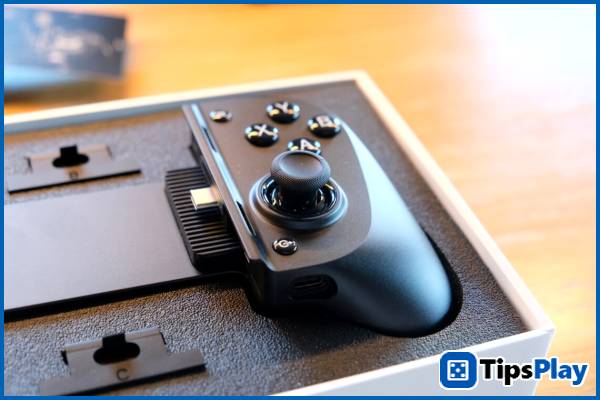
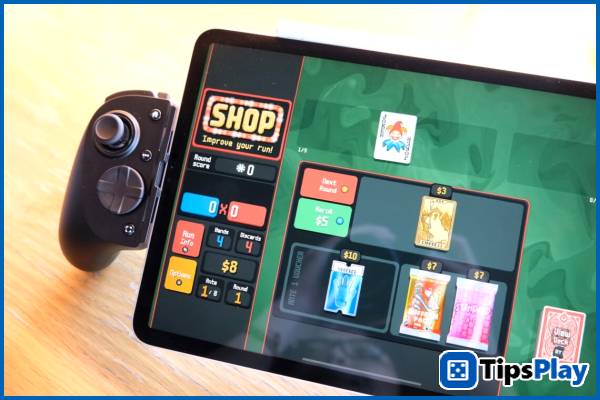
Overall, the Razer Kishi V3 Pro XL offers a highly comfortable gaming experience thanks to its D-pad equipped with 'clicky' mechanical buttons for quick activation, and a pair of TMR inductive joysticks that provide wide, extremely sensitive, and precise navigation, even compared to the popular magnetic hall-effect controllers currently on the market.
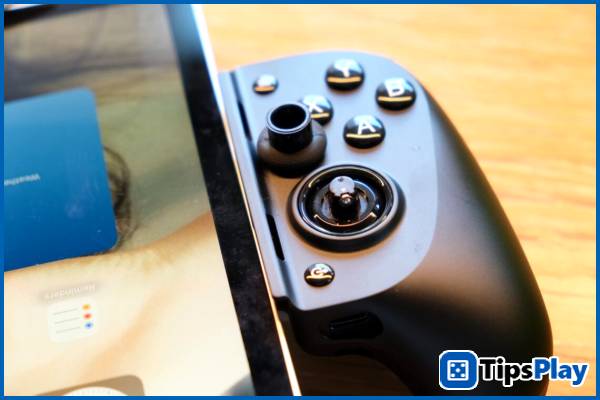
In addition, the Kishi V3 Pro series is equipped with the ability to change thumbsticks between two options: a tall thumbstick – suitable for games requiring absolute precision, and a round thumbstick – for games requiring quick reactions.
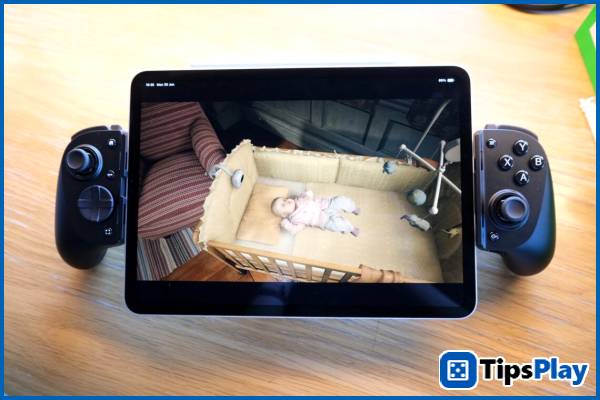
Experiencing mobile games on Apple Arcade including Balatro , Vampire Survivors , and Taiko no Tatsujin Pop Tap Beat , the Razer Kishi V3 Pro XL delivers a much better gaming experience compared to a touchscreen thanks to its instantaneous response, precise controls, and the feel of physical impact.
However, when playing AAA titles like Resident Evil Village and Assassin's Creed Mirage handheld , the Razer Kishi V3 Pro XL, combined with the tablet's large screen, feels like an 'amplified' handheld gaming console, enhancing the gaming experience through full and flexible controls.
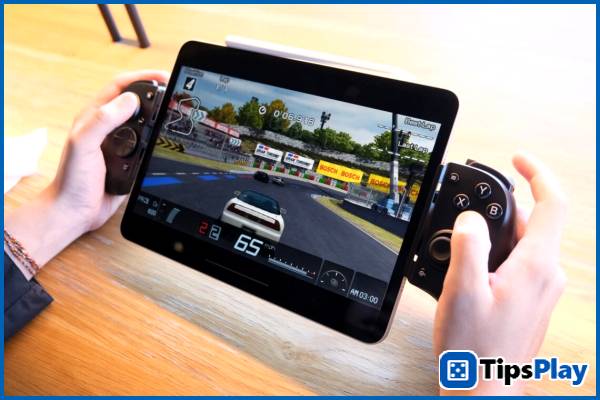
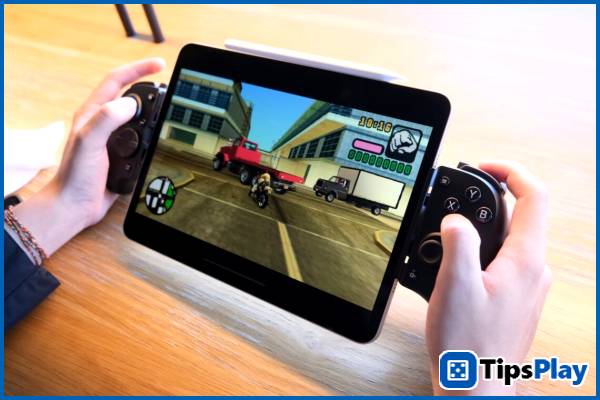
Thanks to this, the tablet can be 'transformed' into a handheld gaming device similar to the Steam Deck, optimized for comfortable gameplay even during extended periods.
This is most evident when experiencing console games like Grand Theft Auto: Vice City and Gran Turismo via PPSSPP, showing that the handheld gaming experience becomes more immersive thanks to the upgraded controller, ergonomic design, and large screen size.
Additionally, on supported devices such as tablets running Android 12 or later, some games on iOS and iPadOS 14.0, or connected via PC, the Razer Sensa HD Haptics haptic feedback system provides a realistic gaming experience with sensitive triggers and varied vibration sensations.
Finally, the Razer Kishi V3 Pro XL still features a USB-C charging port with a maximum power of 15W and a 3.5mm headphone jack for a more complete gaming experience, although the design has been moved entirely to one side instead of the two bottom edges like the Ultra model.
Summary
While the Kishi Ultra is an excellent 'all-in-one' controller option, the Razer Kishi V3 Pro XL is a comprehensive improvement for a better gaming experience on larger tablets, thanks to superior control via additional buttons, more detailed remapping capabilities, an improved joystick sensor, and a interchangeable thumbstick.
However, due to its design being optimized for large tablets, the controller seems to lack versatility across a wider range of devices, and its relatively high price means users should think carefully before making a purchase.
Update 19 March 2026
Samuel Daniel
Samuel Daniel is a senior technology analyst, a high-level expert responsible for evaluating complex technical systems and providing strategic recommendations to improve organizational efficiency and productivity.