Razer BlackShark V3 Pro ? Gaming Gear Review
Razer BlackShark V3 Pro – Recently, gamers' expectations for a professional headset have been rising as sound quality has become a major concern, supplementary features like advanced customization and active noise cancellation have suddenly become "must-have" additions, and the design and wearing experience must be comfortable even during extended periods of wear.
This is most evident with eSports gamers, where even the smallest noises must be detected to gain an advantage over opponents, requiring a headset to be 'tuned' for the game. With matches lasting for extended periods, battery life and comfort become even more crucial.
Two years after the release of its predecessor, the V2 Pro, the Razer BlackShark V3 Pro was announced as a significant upgrade in Razer's familiar line of eSports headphones, boasting higher-end hardware and design, combined with the latest features in the audio market.
With promises of an enhanced gaming experience, what surprises will the Razer BlackShark V3 Pro deliver, and will it meet the current needs of gamers?
Let's unbox and find out together with tipsplay.net!
You will like it
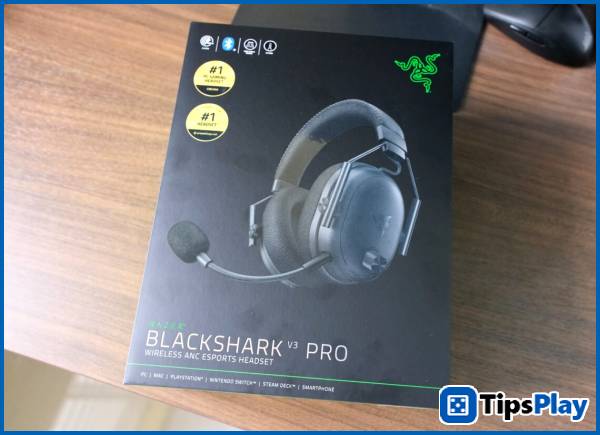
Razer BlackShark V3 Pro – Perfect features and lightweight design.
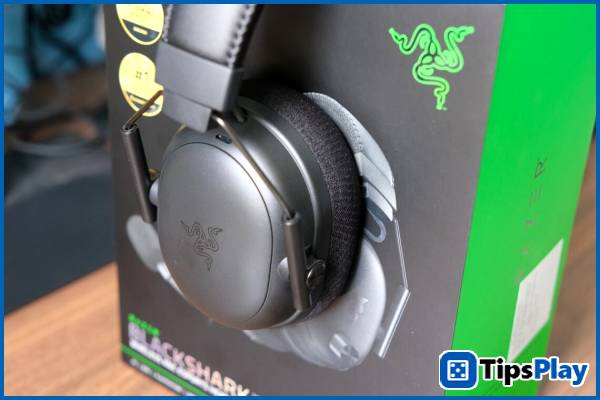
Right from the box, the Razer BlackShark V3 Pro immediately reveals a host of features packed into the headset, from diverse connectivity options and active noise cancelling (ANC) technology to upgraded 50mm Gen-2 TriForce drivers and a 12mm HyperClear microphone for improved voice processing.
Upon unboxing and hands-on experience, the Razer BlackShark V3 Pro feels incredibly solid thanks to its body crafted from premium plastic, resulting in a surprisingly light weight considering its features.
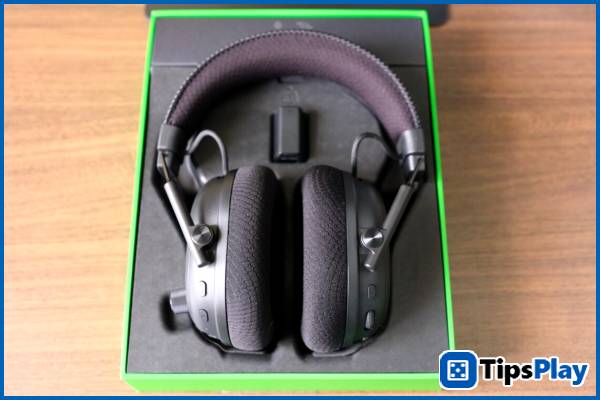
Designed with professional eSports gamers in mind, the Razer BlackShark V3 Pro offers exceptional comfort thanks to its lightweight 367g design, soft memory foam ear cushions, and breathable fabric-covered headband that distributes pressure evenly, all secured by a dual-axis suspension system for precise and easy adjustment.
Thanks to this, even during long Dota 2 or Counter-Strike 2 matches , the Razer BlackShark V3 Pro feels like it's "merging" into your ears, and combined with the wireless connection, users forget they're still wearing headphones even after the game is over.
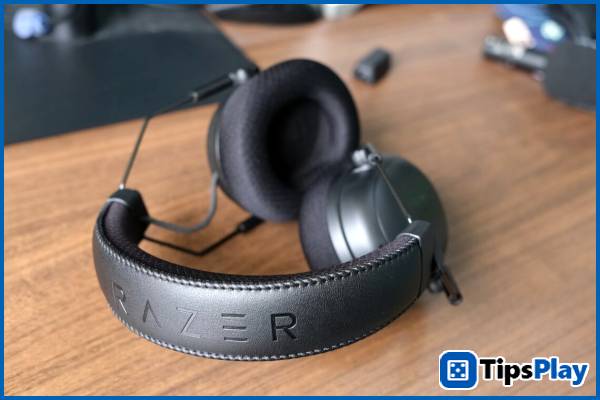
To connect the Razer BlackShark V3 Pro to devices, the headset offers users up to five different options, from wired USB-C and 3.5mm ports, to a high-speed 2.4GHz wireless HyperSpeed ??Gen-2 dongle, Bluetooth, and a hybrid mode… for both audio sources.
Thanks to this, users can connect to almost any current device such as PlayStation 5, Nintendo Switch 2, Steam Deck, and smart mobile devices to play games and make phone calls simultaneously.
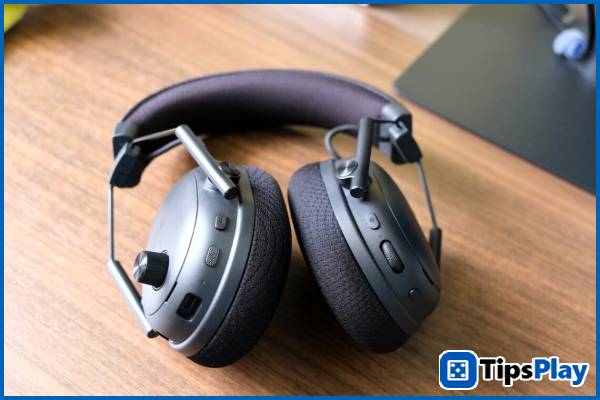
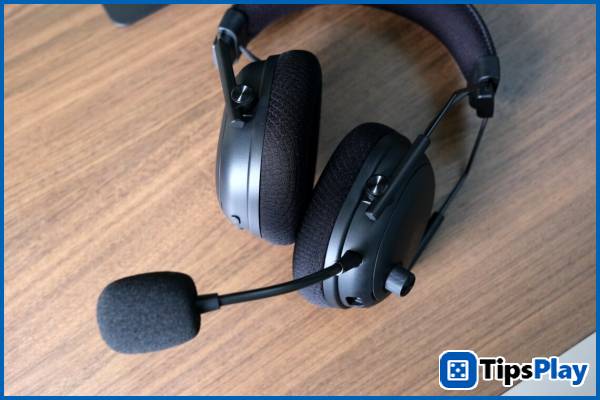
On each earcup, the Razer BlackShark V3 Pro is equipped with a series of control buttons serving various purposes, including a trio of buttons for power, connection mode switching, and sound mode, along with a distinctive volume control knob on the left earcup. On the right side are a multi-function scroll wheel and a microphone status button.
With its overwhelming number of buttons, users may initially be confused about their location and function, but their convenience and versatility are a huge plus after a short period of getting used to and experiencing them.
Typically, the experience of turning the microphone on and off has become more reliable thanks to the buttons on the headphones providing instant feedback, along with a well-integrated volume knob and a multi-function roller used to increase or decrease microphone volume or change EQ settings.
When using the HyperSpeed ??Gen-2 wireless connection, the Razer BlackShark V3 Pro is advertised to have a battery life of up to 70 hours of continuous use. However, in the author's week-long test, less than half of the battery capacity was used.
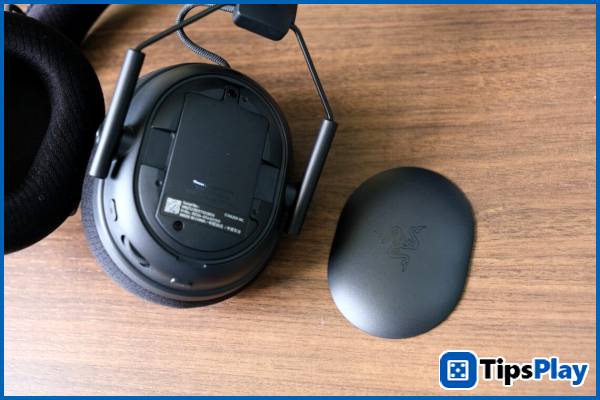
Additionally, the faceplate of the headset is completely detachable and replaceable, with various designs already announced by Razer, including models inspired by famous eSports teams such as Tyloo, Sentinels, and 100 Thieves.
Razer BlackShark V3 Pro – Balanced Noise Cancellation
Compared to the Corsair Virtuoso Max Wireless in terms of active noise cancelling (ANC), the Razer BlackShark V3 Pro offers a more balanced experience over extended use, without causing discomfort or dizziness due to contrasting sound frequencies, especially in environments with a lot of external noise.
In quiet gaming environments, low-pitched noises like air conditioners and fans are virtually eliminated, allowing players to concentrate better – something especially important in intense eSports matches.
In addition to balanced noise cancellation, the transparency mode performs relatively well, reproducing external sounds realistically, giving the feeling that the sound isn't 'compressed' like cheaper headphones with similar features.
In terms of sound quality, in the default preset, the Razer BlackShark V3 Pro is tuned to suit most games with powerful bass and sub-bass, but at the cost of toning down the treble to make footsteps more easily discernible and provide a more immersive feel in action games.
In addition, Razer has equipped the headphones with several pre-set EQ settings specifically tuned for popular eSports titles, such as Fortnite with the high frequencies maximized, or Apex Legends with both the low and high frequencies tuned much higher than the original preset.
The preset options selected through the app will be saved to the headphones for activation across various connections, offering users better customization and the ability to quickly switch between them via the multi-function scroll wheel.
Finally, with team communication being a crucial part of eSports gameplay, the Razer BlackShark V3 Pro 's microphone system performs exceptionally well, capturing clear voices without any feeling of 'compressed' sound, as background noise is adequately isolated.
You will hate it.
Razer BlackShark V3 Pro – A few minor flaws
Despite its comfortable and lightweight design, the Razer BlackShark V3 Pro seems to have compromised on portability, evident in the inability to fold the earcups 90 degrees horizontally, and the lack of a compact folding mechanism for easy storage in a bag or backpack.
In addition, with the use of fabric ear cushions combined with the lightweight design of the headphones, this material, when pressed against the skin, can cause relatively uncomfortable and frequent noise during use, especially when the design doesn't fit the head as tightly as many other headphone models.
Update 19 March 2026
Jessica Tanner
Jessica Tanner is a Technical Analyst who serves as a crucial link between an organization's business needs and its information technology (IT) systems. She specializes in evaluating, designing, implementing, and maintaining software, hardware, and network systems to optimize business processes.