Razer Kiyo V2 vs Kiyo V2 X Review: A pair of webcams that elevate the Content Creator experience.
From the sharp Sony STARVIS 4K sensor on the Kiyo V2 to the balanced performance of the Kiyo V2 X, Razer is redefining webcam standards for content creators. Join Lag.vn as we delve into real-world experiences to find the device that best suits your workspace.
In recent years, webcams are no longer simply devices for online meetings or distance learning. The increasing demand for content recording, livestreaming, product reviews, or even recording talk head segments has led users to pay more attention to image quality, focusing capabilities, and accompanying software. This is also why professional webcams like the Razer Kiyo V2 and Kiyo V2 X have received significant attention from the content creation community.
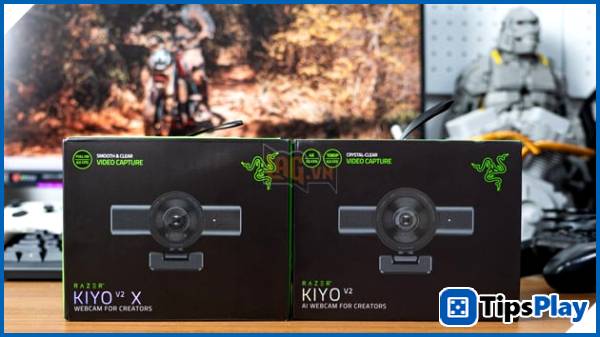
Interestingly, despite belonging to the same product line, the Kiyo V2 and Kiyo V2 X target two distinct user groups. One focuses on image quality and intelligent processing capabilities, while the other balances performance and cost to suit basic recording needs. In practical use for shooting gear on a desk, livestreaming, and online meetings, Lag.vn noticed the differences between these two webcams are not only in specifications but also very evident in daily experience.
Familiar design, but different direction.
Both webcams feature Razer's signature design style with a compact, cylindrical shape that's easy to mount on a monitor or tripod.
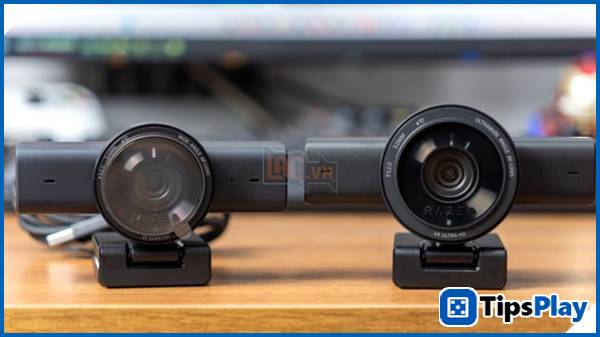
When placed side-by-side, the Kiyo V2 feels more premium thanks to its solid build quality and larger lens.
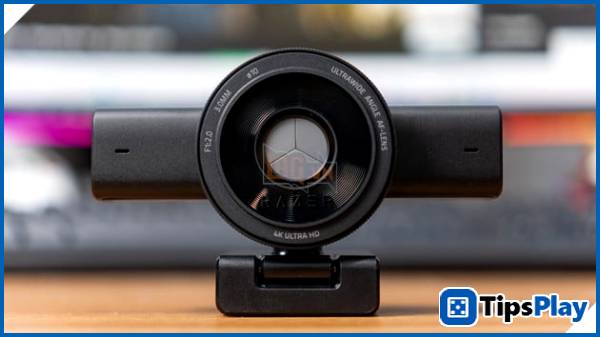
Meanwhile, the Kiyo V2 X prioritizes a sleek and lightweight design, targeting users who appreciate a quick "Plug-and-Play" experience.
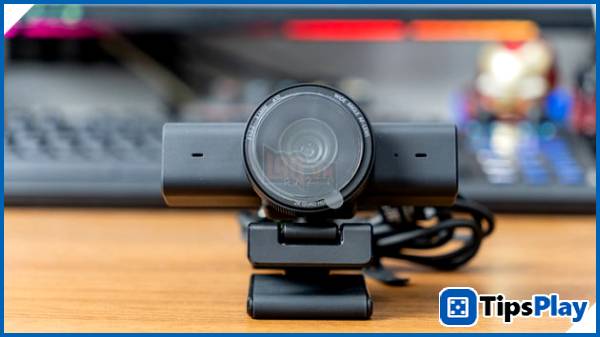
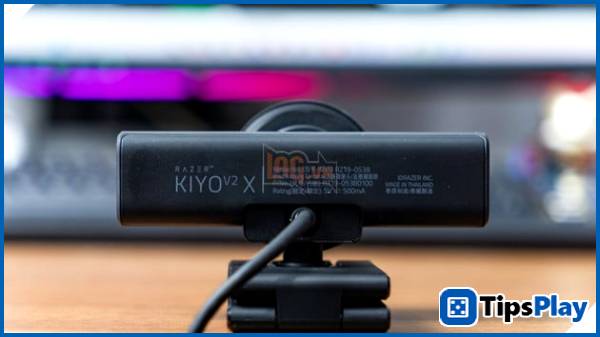
A valuable common feature on both devices is the versatile clamping system. Not only does it securely attach to thin monitors or laptops, but this stand also acts as a flexible joint, allowing for horizontal or vertical rotation to find the ideal angle.
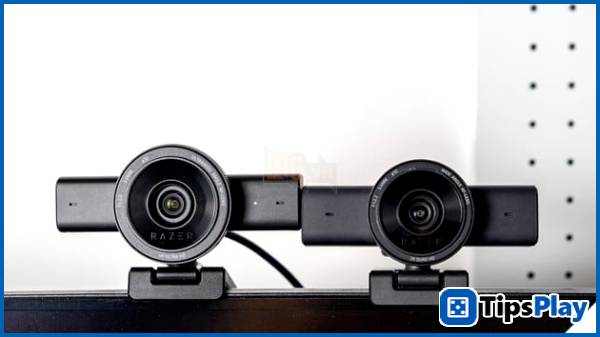
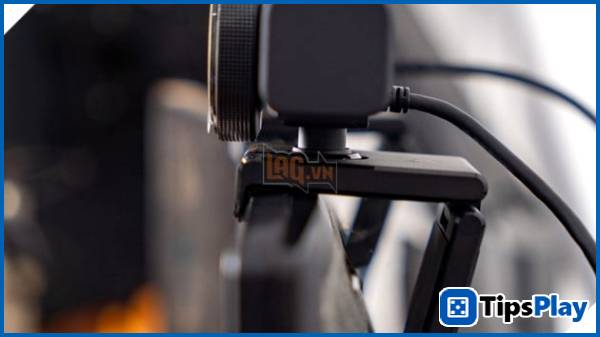
In particular, the ability to quickly attach and detach the camera for tripod connection expands its usage scenarios: from top-down angles for unboxing, to placing the camera close to the table to record meticulous hand movements when reviewing gear.
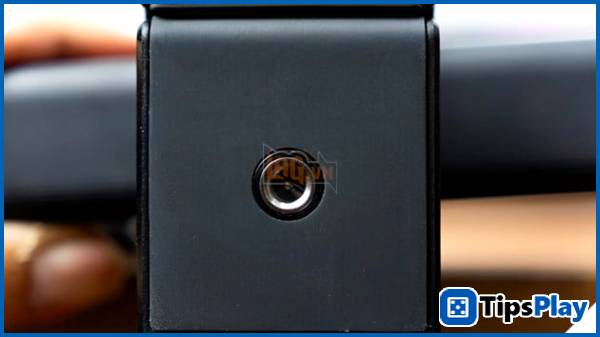
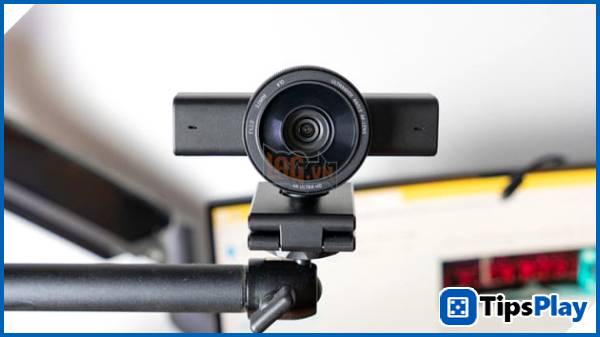
Image quality
The difference in image quality between these two webcam models lies not only in the resolution but also in the flexibility of content creation. The Kiyo V2 has a clear advantage with its 8.3MP Sony STARVIS sensor, allowing for sharp 4K image output.
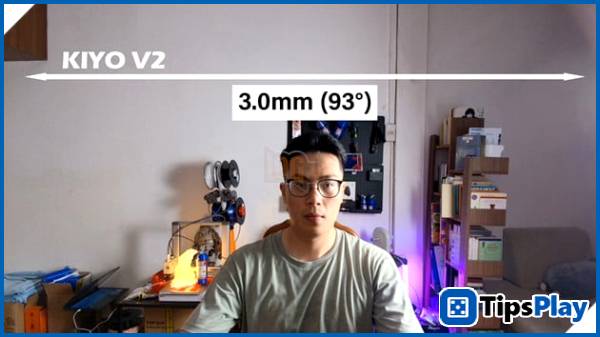
This resolution, combined with the 93° ultra-wide-angle lens, creates an extremely comfortable working space; you can capture the entire group livestream or confidently crop close-ups (digital zoom) of faces while the image retains incredible detail, without the pixelation often seen with conventional webcams.
In contrast, the Kiyo V2 X is an economical yet extremely stable option. With its 2K resolution and standard 80° viewing angle, it perfectly meets the needs for basic talking head recording or game streaming. Although there isn't much room for editing, the 1440p 60fps video quality on the V2 X is still very clean and smooth.
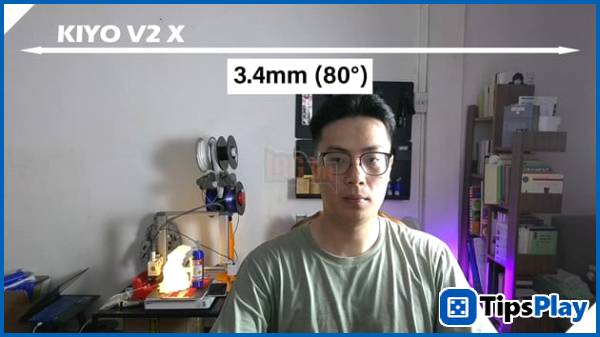
In terms of practical performance, both cameras perform well in office lighting environments thanks to Sony's natural skin tone reproduction technology. However, the Kiyo V2 proves to be more intelligent in its focusing capabilities.
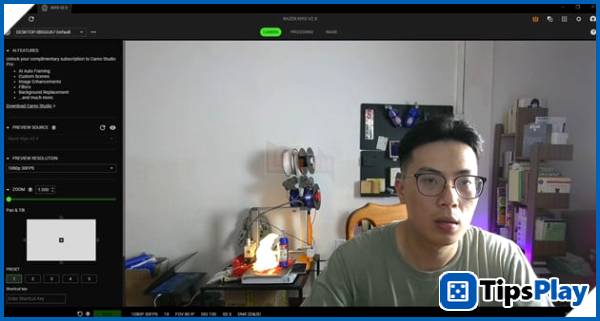
While the V2 X excels at keeping the subject in focus, the V2 handles it much more smoothly when you move the object closer to the lens (like when reviewing a product), completely eliminating the annoying "hunting focus" phenomenon.
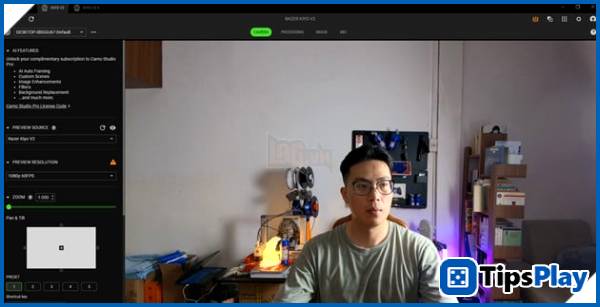
During the setup process, users can utilize the webcam clamp to stabilize the camera even when placed on large monitors or when continuously adjusting the viewing angle. This is especially important when filming keyboards, mice, or headphones, as even slight webcam shake can cause the frame to become unstable.
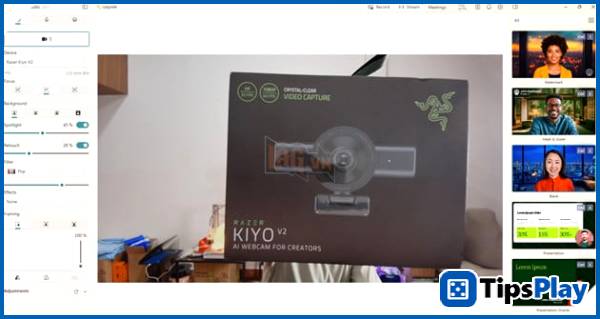
The Kiyo V2 is equipped with an ultra-wide-angle lens, allowing it to capture the entire workspace without having to move the webcam too far back. In contrast, the Kiyo V2 X uses a standard wide-angle lens, which is still sufficient for filming gear but requires a bit more adjustment to get the desired frame.
This subtle difference makes the Kiyo V2 suitable for those who frequently shoot setups or livestream, while the Kiyo V2 X is better suited for online meetings or basic content recording.
Experience
While filming the product on my desk, I used both webcams under the same lighting conditions for direct comparison.
The Kiyo V2 delivers noticeably sharper and more detailed images. When rotating the mechanical keyboard with RGB lighting, the colors are balanced and not overexposed, while the keycap details remain sharp.
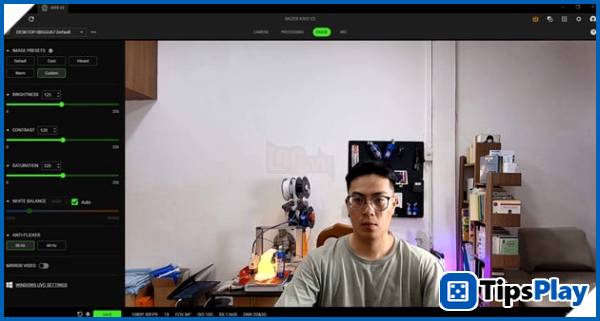
The AI-powered auto-alignment feature worked quite effectively, helping the webcam keep the subject in the center even when we moved slightly during the talking head recording.
Additionally, the ability to enhance images with just one click simplifies setup, especially for those who don't want to spend a lot of time adjusting manually. The ultra-wide-angle lens also offers a significant advantage when capturing the entire workspace setup while maintaining a clear composition.
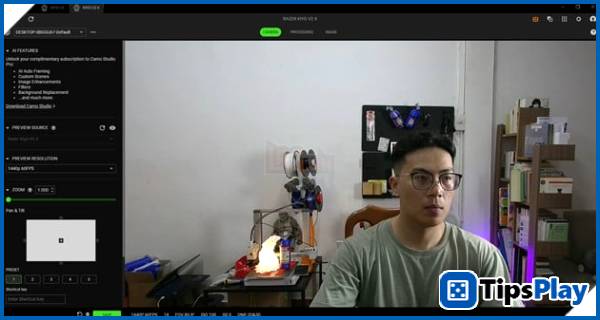
On the other hand, the Kiyo V2 X demonstrates stability and ease of use. The autofocus is fast and accurate, sufficient to focus on products when brought close to the camera. The image quality isn't as outstanding as the Kiyo V2, but it's still sharp enough for basic livestreaming, online meetings, or review recording.
The Kiyo V2 X's wide-angle lens provides a cleaner frame, making it suitable for users who only need to film a talking head or a small setup. This makes the webcam a sensible choice for those just starting out in content creation.
Software
Looking solely at the hardware, these two webcams are already good enough for their segment, but the real experience only begins when we use Camo Studio Pro in conjunction with Razer Synapse 4.

For product photography or livestreaming, I usually set my webcam to 4K resolution in Camo Studio Pro to take full advantage of its image processing capabilities. Selecting Autofocus mode helps the webcam maintain a stable focus when bringing the product close to the lens.
The background is kept natural to ensure accurate colors, then lightly retouched if needed, while the filter is experimented with various presets to create a collage illustrating the features.

One notable feature is the automatic framing with zoom, which keeps the frame clean even when the user changes their seating position. When combined with adjustments such as exposure, white balance, and backlight compensation, the image becomes much more stable and easier to control.
After configuring Camo, I switched to Synapse and selected Camo as the camera source to retain all the saved settings. Here, enabling HDR, dynamic noise reduction, and auto white balance helps the images in livestreams or online meetings look more natural and less noisy, especially when shooting in environments with RGB backlighting.

Practical experience shows that the software is the key factor that helps these two webcams maximize their potential, transforming a compact device into a fairly professional content recording tool.
Built-in microphone
During the online meeting and livestream testing, I also took the time to test the microphones of both webcams.
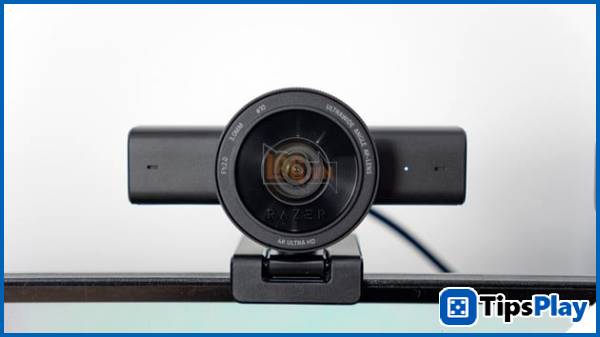
The Kiyo V2 delivers clearer audio recordings, with natural-sounding voices and minimal background noise even when sitting about an arm's length from the webcam. This makes online meetings or livestreaming more convenient in many situations, eliminating the need for a separate microphone.
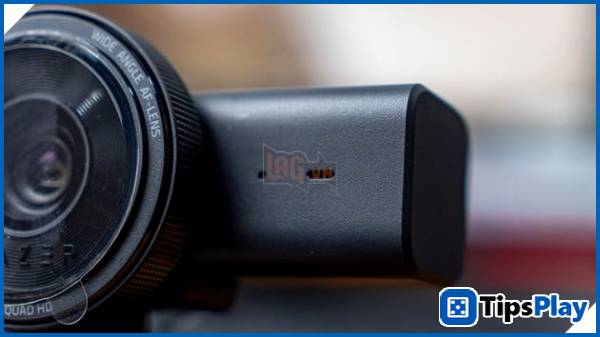
Meanwhile, the Kiyo V2 X still meets basic needs well, providing clear voice in quiet environments, but when there is fan noise or background sound, the microphone picks up quite a lot of background noise. For professional content creators, using a separate microphone remains the optimal choice.
Nevertheless, for online meetings or light streaming, the microphones on both devices are sufficient and offer considerable convenience.
Which option is right for you?
If you need a webcam for shooting gear, livestreaming, talkheading, and professional content creation, the Razer Kiyo V2 is clearly a worthwhile option thanks to its good image quality, AI auto-framing, ultra-wide-angle lens, and intelligent processing capabilities. At a price of around 4,690,000 VND, it's a suitable product for content creators, streamers, or tech reviewers.
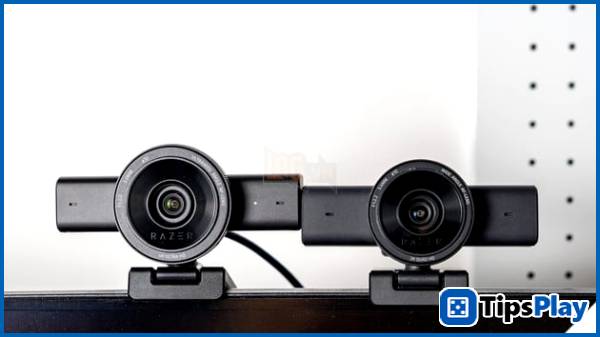
Meanwhile, the Razer Kiyo V2 X, priced at around 3,290,000 VND, is a reasonable choice for users who need a stable webcam for online meetings, basic livestreaming, or simple content recording while still ensuring good image quality.
Overall, both are noteworthy webcams in their segment, and the choice will depend on whether you need a professional content recording tool or a simple yet effective device for everyday use.
Update 28 April 2026
Marvin Fry
Marvin Fry is a game analyst who serves as a crucial link between data and game design, using in-game metrics and player behavior data to improve game quality, engagement, and monetization.